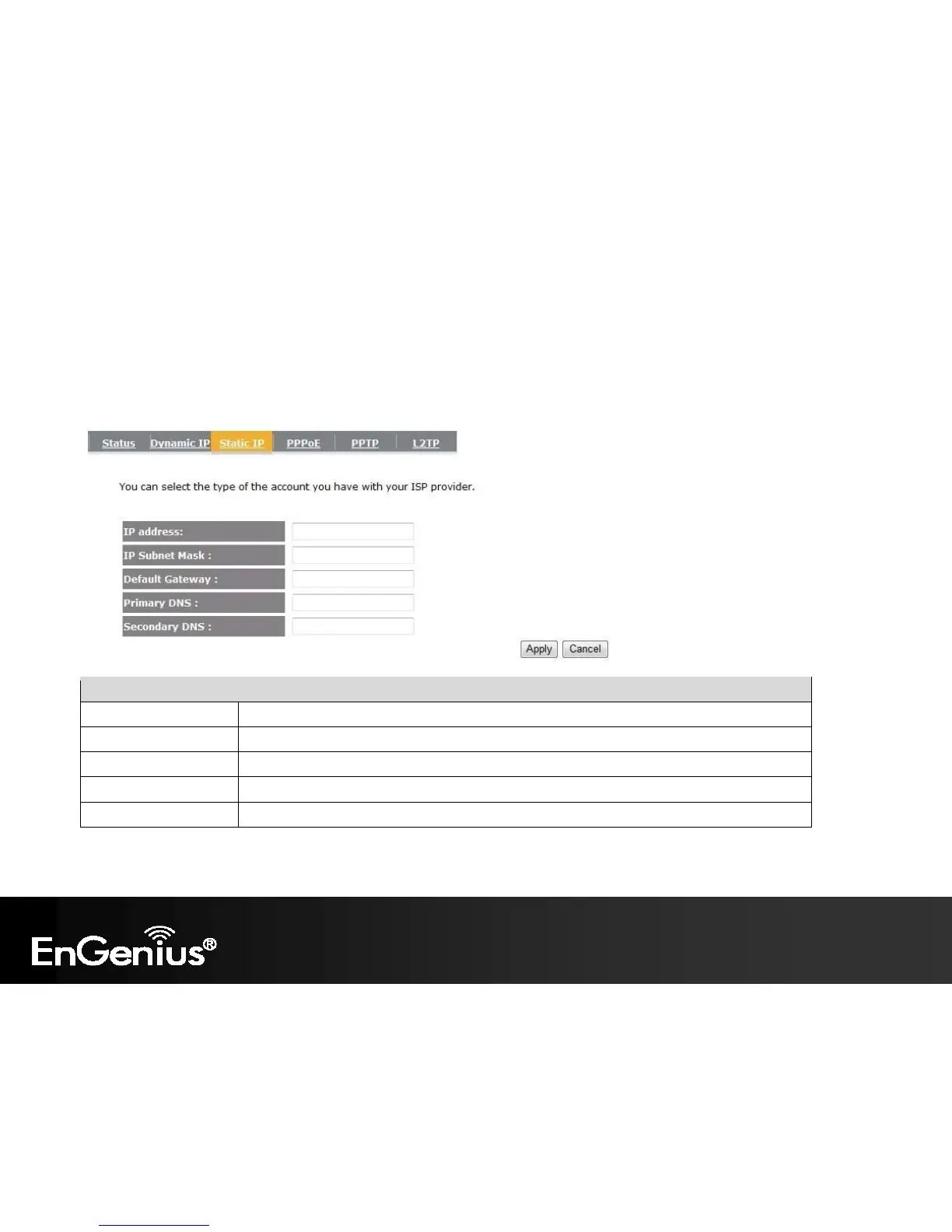
7.3. Static IP Address
If your ISP Provider has assigned you a fixed IP address, enter the assigned IP address, Subnet mask, Default Gateway IP address, and
Primary DNS and Secondary DNS (if available) of your ISP provider.
Static IP Address
IP address Assign an IP address Manually.
IP Subnet Mask Specify an IP address’s subnet mask.
Default Gateway Specify the gateway of your network.
Primary DNS Specify the primary DNS server’s IP address.
Secondary DNS Specify the second DNS server’s IP address.


 To Next Page
 Loading...











