09
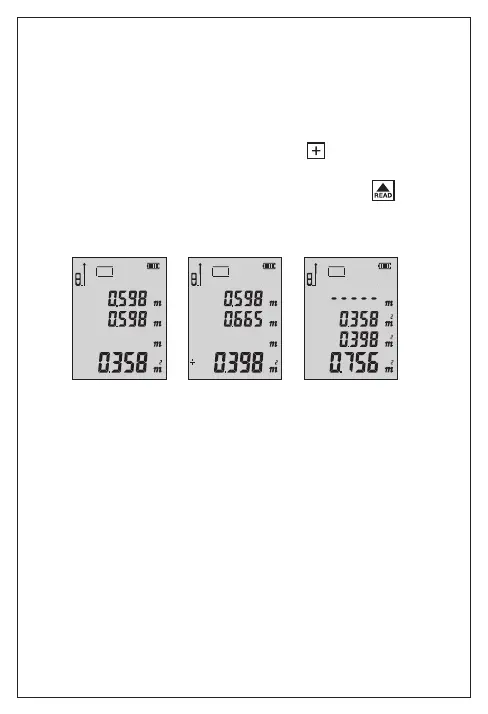
Area cumulative function: Measure the first area as
showing in PIC1. Then press button , and
measure the second area as showing in PIC2, there
is a "+" in the left bottom. At last, press button to
get the summation result of these two areas which is
showing in PIC3.
Not only length can be caiculated in addition and
subtraction, but area and volume can do the
calculation as well. Take area as sample:
PIC1 PIC2 PIC3


 To Next Page