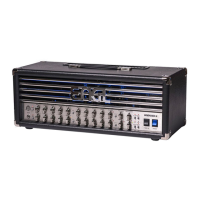
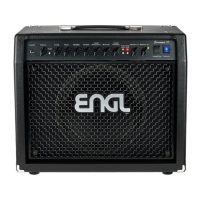
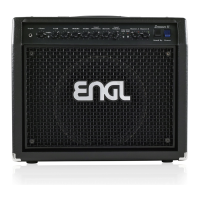
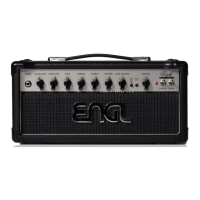
The ENGL E606SE Ironball SE is an all-tube guitar amplifier designed for a range of musical applications, from practice to recording and live performances. It features a compact design with a robust set of controls and connectivity options, making it versatile for various setups.
Function Description
The amplifier offers two main channels: Clean and Lead.
- Input: A conventional 6.3mm (1/4" TS) unbalanced input for connecting your guitar.
- Clean Gain: Controls the gain level for the Clean channel.
- Lead Gain: Controls the gain level for the Lead channel.
- Bass, Middle, Treble: These are passive EQ controls for shaping the preamp's voicing. Bass controls the bottom end, Middle controls mid-range, and Treble controls upper range.
- Lead Presence: Defines the treble response in the power amp stage specifically for the Lead channel.
- Lead Volume: Controls the volume for the Lead channel (pre-FX Loop), influencing the send level. This knob is used to balance levels between the Lead and Clean channels.
- Master: A post-FX Loop master volume knob that controls the overall power amp output.
The E606SE also integrates several programmable features and effects:
- Store: A push button to save current settings (channel, functions, IR selection) to a MIDI memory slot (preset). The process involves sending a PC# message, selecting desired settings, and holding the Store button for about 2 seconds until its LED flashes 3 times. The LED also flashes slowly to indicate changes to a preset.
- M.V.B. (Master Volume Boost): Increases the master volume level, providing two distinct volume levels for different musical situations (e.g., rhythm and lead). Activated/deactivated by a push switch, indicated by a red LED. This function can be stored and switched via MIDI.
- Reverb: Activates/deactivates the Reverb function, indicated by a red LED. Can be stored and switched via MIDI.
- Reverb Tails: Accessed by holding the Reverb button for 2 seconds. Three short flashes indicate active tails, one long flash indicates inactive tails. This setting can be saved to a MIDI preset.
- Delay: Activates/deactivates the Delay function, indicated by a red LED. Can be stored and switched via MIDI. The Delay LED also signals the Delay time.
- Delay Tails: Accessed by holding the Delay button for 2 seconds. Three short flashes indicate active tails, one long flash indicates inactive tails. This setting can be saved to a MIDI preset.
- Delay Mix: Adjusts the mix of dry and wet Delay signals, increasing intensity clockwise.
- Delay Time: Adjusts the Delay time. The Delay LED shows the current time. Can also be tapped via MIDI CC #54.
- Delay Feedback: Sets the Delay feedback level, increasing the number of repeats clockwise.
- Reverb (Mix Knob): Adjusts the mix of dry and wet Reverb signals, increasing intensity clockwise.
- Gain Boost: Activates/deactivates the Gain Boost function, indicated by a red LED. Can be stored via MIDI program change or controlled by an ENGL Z4 (TRS) footswitch.
- Clean/Lead Channel Switch: Toggles between the Clean and Lead channels, indicated by a red LED for the Lead channel. Can be stored via MIDI or controlled by an ENGL Z4 (TRS) footswitch.
- FX Loop: Activates/deactivates the FX Loop, indicated by a red LED. Can be stored and switched via MIDI. The FX Loop is located post-preamp and before the power amp Master controls. It includes Send (output) and Return (input) jacks for connecting external effects processors using shielded 6.3mm (1/4" TS) cords.
- Noise Gate: Activates/deactivates the Noise Gate function to suppress excess noise in the Lead Channel (with or without Gain Boost). The threshold is controlled by a knob on the back of the amp. Indicated by a red LED. Can be stored and switched via MIDI program change.
- Stand By: Silences the amp, keeping tubes warm for immediate full power ramp-up. Useful for breaks or switching guitars.
- Power: Mains power on/off switch.
IR Balanced Output
The E606SE features an IR Balanced Output with several options:
- IR Selector: A rotary switch to select between eight different Impulse Responses (IRs). The first three are built-in ENGL IRs:
- ENGL E212VHB (V30) Cabinet
- ENGL E412VSB (V30) Cabinet
- ENGL E412XXL (V30) Cabinet
Slots 4 to 8 are reserved for user-loaded IRs. Selecting an unused slot bypasses the IR section.
- IR Balanced Output – Pre/Post: A button to select the signal source for the XLR port. When not pushed, the line signal is tapped from the preamp. When pushed, it's tapped from the power amp. For the power amp option, the Power Soak must be set to Speaker Off or a speaker load must be connected to the Poweramp Output.
- IR Bypass: Holding the FX Loop button for 2 seconds activates/deactivates IR Bypass. Three short flashes indicate active bypass, one long flash indicates inactive. This is useful for using external IR loaders during recording sessions. The status is globally saved but not to MIDI presets and is discarded upon power cycling.
- Headphone Output: A 3.5mm (1/8" TRS) jack for monitoring or practice. When the Power Soak is set to "Speaker Off," silent practice is possible.
- Headphone Level: Adjusts the headphone output level.
- XLR - Ground: A push button to lift the ground when not pressed, useful for eliminating ground loop noise.
Power Soak
- Power Range Selector: A switch to activate the Power Soak and select the desired power level:
- Full Power (approx. 20 Watts)
- Mid Power (approx. 5 Watts)
- Low Power (approx. 1 Watt)
- Speaker Off (zero Watts)
When activated, the Power Soak's resistors convert power amp output into heat, requiring good air circulation around the amp's back.
Connectivity
- Main Supply Connector (AC Power Inlet, IEC – C14): For connecting the mains cord.
- Footswitch: A 6.3mm (1/4" TRS) jack for connecting a conventional footswitch (e.g., ENGL Z4) for Clean/Lead channel switching (Tip) and Gain Boost on/off (Ring).
- MIDI In: A 5-pin DIN port for receiving MIDI data from a sender (e.g., ENGL Z9, Z12) or other MIDI devices. Supports MIDI Channel Auto Recognition and OMNI mode.
- Phantom Power - ENGL MIDI Footcontroller: A selector to activate phantom power (approx. 11 Volts AC) for an ENGL MIDI footcontroller connected to the MIDI In port (pins 1 and 2). Ensure this is unpressed when using 3rd party MIDI footcontrollers to prevent damage.
- USB: A USB-B port for connecting to a computer to drag and drop Impulse Response files. IRs are stored alphabetically in slots 4 to 8. Supported files are mono, up to 128kB / 96kHz (1 second @ 48kHz; 500ms @ 96kHz).
- Poweramp Output:
- One 8 - 16 Ohm cabinet connected to the left jack.
- Two 16 Ohm cabinets connected to both output jacks.
Proper impedance matching is crucial to prevent damage to the power amp.
Important Technical Specifications
- Output power: approx. 20 Watts max
- Input sensitivity:
- Input: from -20 dB to approx. 0 dB max.
- FX Return: from -20 dB to approx. 0 dB max.
- Output level:
- FX SEND: from -20 dB to approx. 0 dB max.
- XLR, Headphone: approx. 0 dB at nominal power output
- Power consumption: approx. 80 Watts (95 VA) max.
- Fuses:
- 220/230/240 supply voltage: 0.4 AT L (T: slow-blow)
- 100/115/120 supply voltage: 0.8 AT L (T: slow-blow)
- Power Tube Fuses: 2 x 0.08 AM (M: medium-blow)
- Tubes:
- V1: ENGL ECC83 First Quality (FQ)
- V2/V3/V4: ENGL ECC83 Selected (S)
- V5/V6: ENGL EL84 Hand-matched Duet
- Dimension: 34cm x 14cm x 22cm
- Weight: approx. 7kg
Usage Features
- MIDI Controller Numbers: The E606SE accepts CC# messages to control most built-in functions. For example, CC #7 (Amp Mute) with a value of 64-127 mutes the output, and 0-63 unmutes it. Other controllers switch functions on (64-127) and off (0-63), while some use specific values (0-127), like CC #35 for Reverb mix.
- Tube Amplifier Characteristics: The amp's high gain factor makes its input extremely sensitive, potentially causing feedback, especially in Crunch and Lead channels with high Gain, Treble, Lead Volume, and Presence settings. Users are advised to avoid extreme knob positions to prevent feedback and potential damage to hearing and speakers.
- Background Noise: Tube amplifiers may exhibit slight background noise (hissing, sizzling, crackling, popping) due to tubes, even new ones. This is more noticeable in high-gain Lead channels. Occasional noise is normal; persistent noise might warrant tube replacement.
Maintenance Features
- Fuse Replacement: Mains fuses and power tube fuses must be replaced only with the same type and rating as indicated on the unit.
- Packaging: Use the original packaging for transport to ensure protection. The packaging is designed for multiple uses and should not be discarded. Damaged packaging should not be used. Devices should be packed separately (e.g., Z4 Footswitch and E633 Head should not be packed together).
- Troubleshooting:
- Output volume fluctuates or drops: Check effect devices, cables, guitar, patch FX Send to FX Return, test with external power amp/preamp.
- No or low sound: Ensure speaker connection, power amp activation (Stand By OFF), proper cable connections, removal of effect devices, Noise Gate status, and Master/Gain/Volume knob settings (must be > 0).
- Humming noises: Check amp and mains ground connection (consult technician), shielded cables, reposition amp/cables away from magnetic fields, switch off mobile phones.
- Customer Support: For issues, contact service@engl-amps.com with a detailed description, photos of control settings, and video recordings to help diagnose the problem.

 Need help?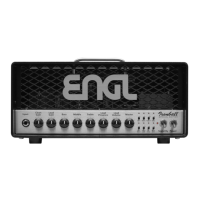

 To Next Page
 General