ENNOLOGIC TRUE RMS MULTIMETER EM860T-QUICK-START GUIDE
3
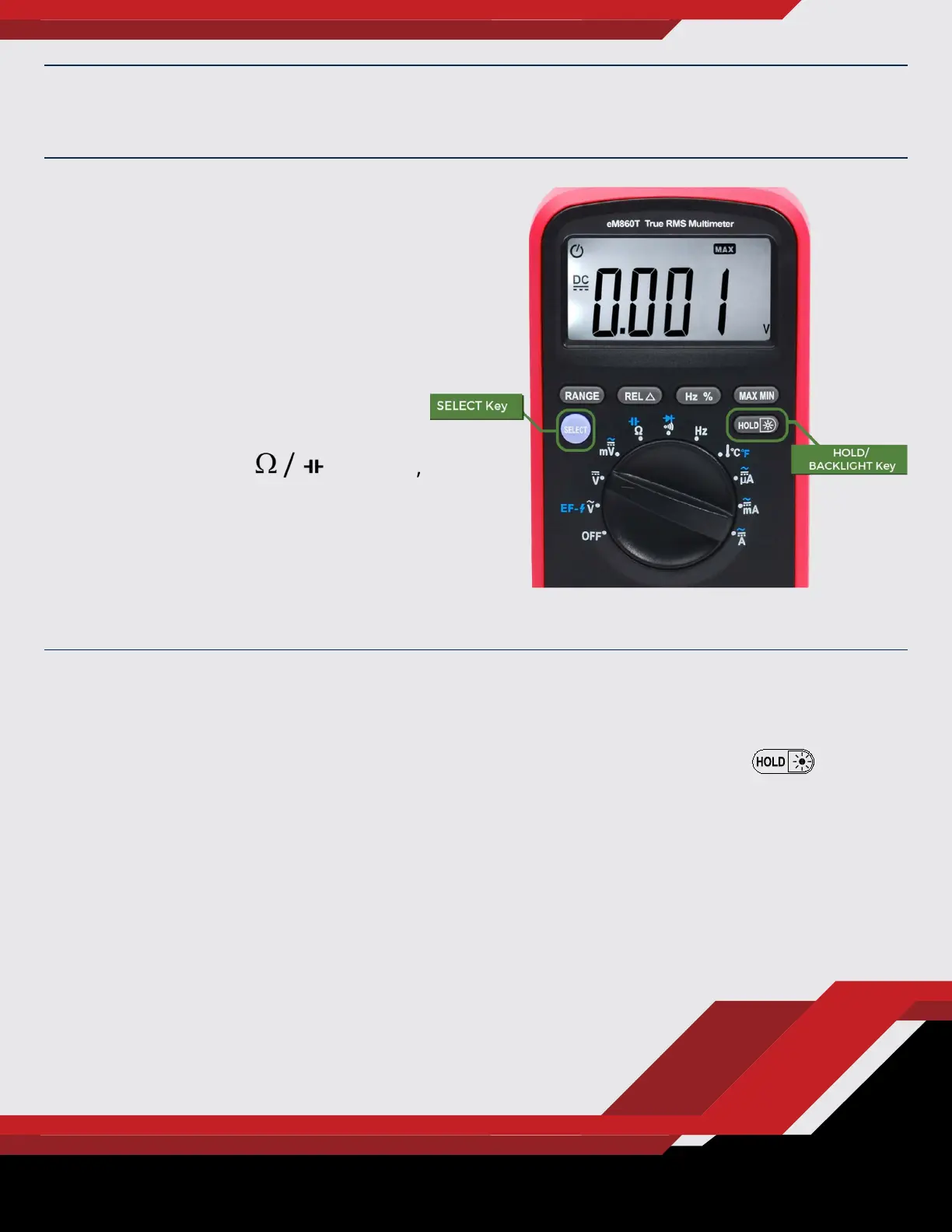
Accessing Secondary
Functions
Press the Select key to switch to the
secondary functions (indicated by
blue symbols).
For example, to setup the meter for
measuring capacitance, turn the
rotary switch to the position,
then press the blue Select key. Or,
to measure AC currents in the mA
range, set the rotary switch to the
mA position, then press the
Select key.
GETTING FAMILIAR WITH THE TRUE RMS MULTIMETER
Data Hold and Backlight
To freeze the current reading (Data Hold), press the Hold/Backlight
key briey. Press it again to turn Data Hold o.
To turn the backlight on and o, press and hold this key for 2 seconds.


 To Next Page
 Loading...