18
Enphase Energy System with IQ Battery 5P Owner’s Guide
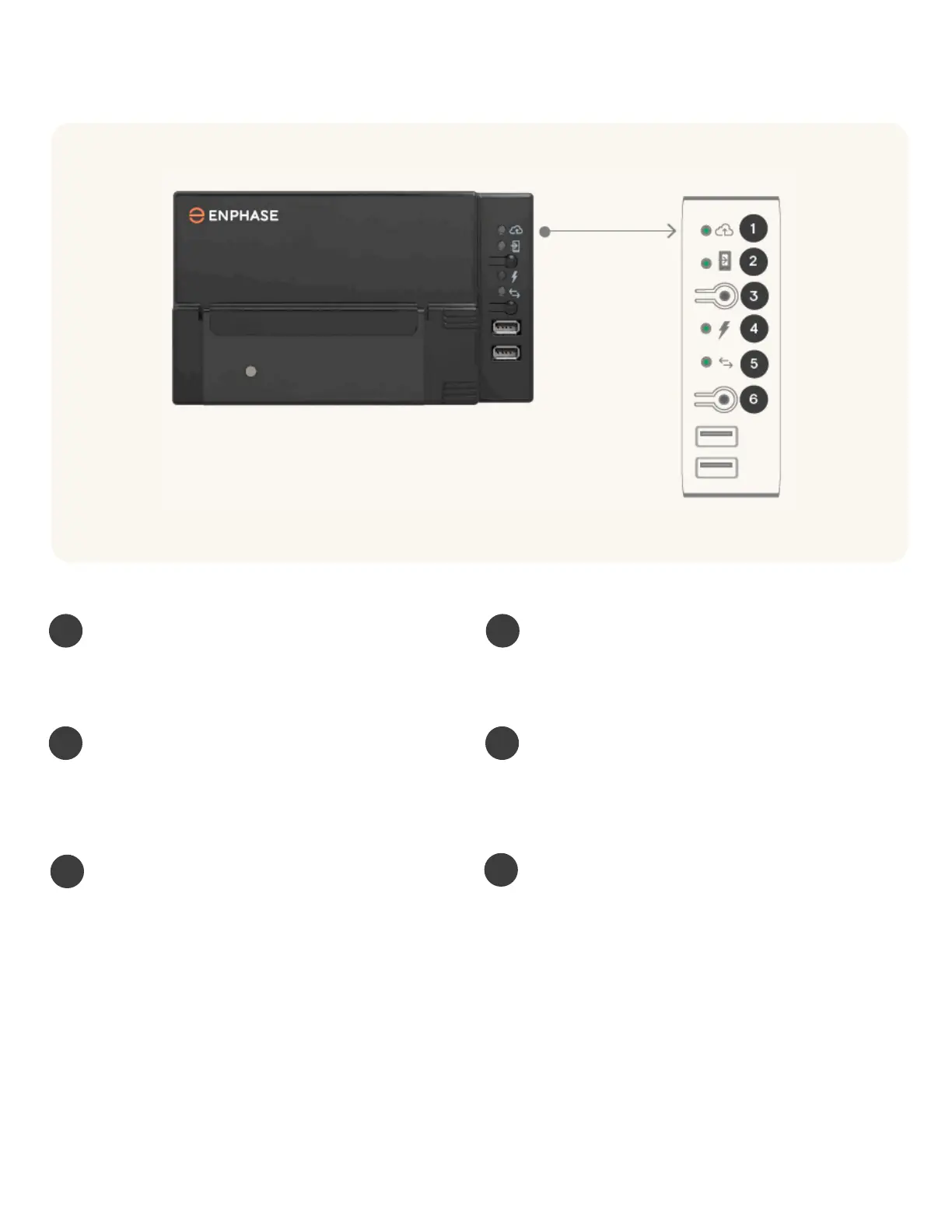
You can see the IQ Gateway LEDs and buttons in the image shown below.
IQ Gateway LEDs
1 2
Green when IQ Gateway is connected to the internet.
Green when IQ Gateway’s AP Mode is activated. Normally
used only by the installer.
3
Press to enable IQ Gateway’s AP mode for connecting
with a mobile device.
4
Green when IQ microinverters are producing power.
5
Green when devices are communicating with IQ Gateway.
6
Press to start/stop a 15-minute scan for devices over the
power line. Normally only used only by the installer
Network communications LED Access point (AP) mode LED
AP mode button Power production LED
Device communications LED
Device scan button



 To Next Page