HARDWARE IS YOUR EXCELLENCE
WWW
.ENSOTECH.LTD
Unit F, 6 Floor, Cheung Hing Shing Centre, No.23, Sha Tsui Road, Tsuen Wan,
New Territories, Hong Kong
8
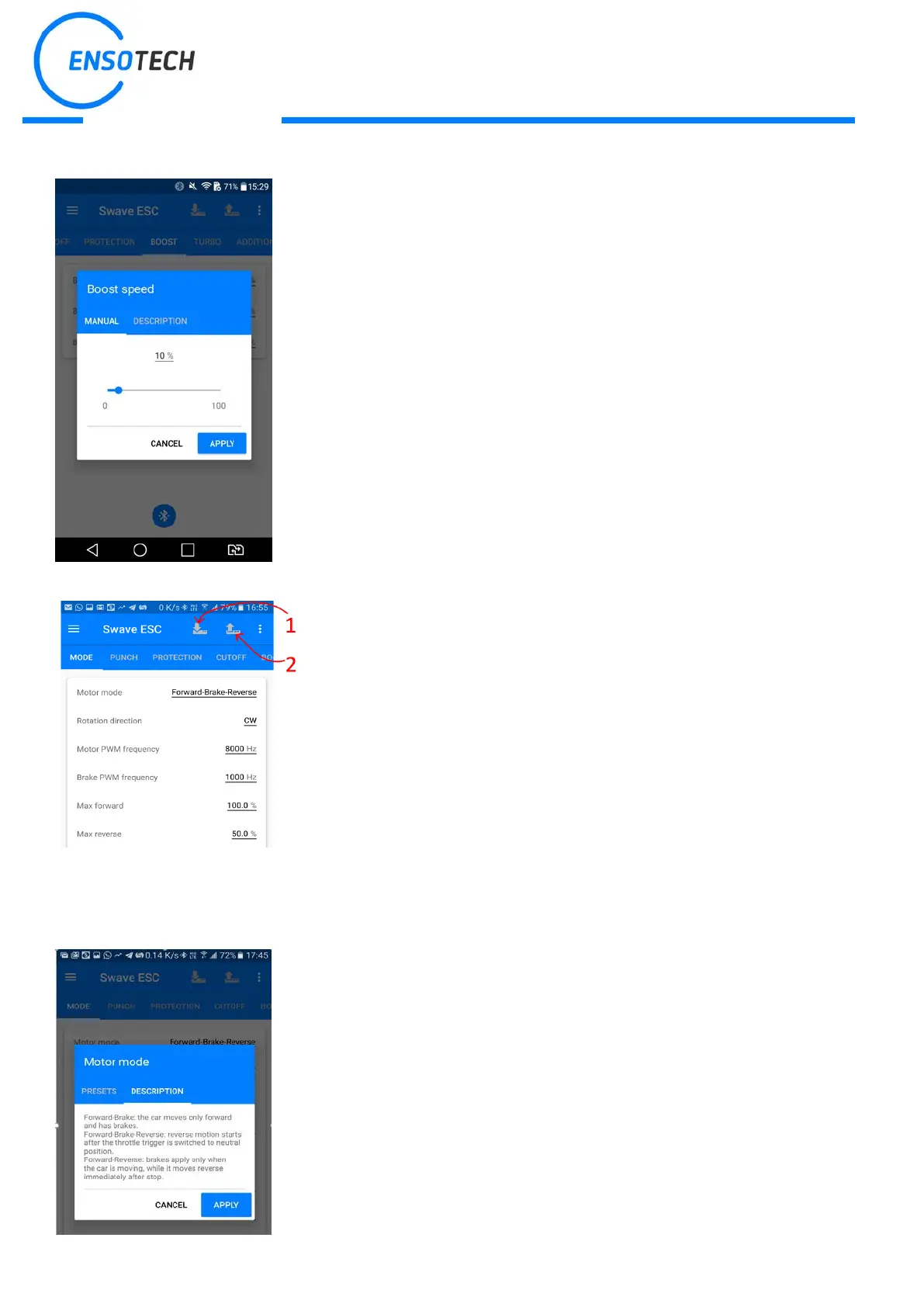
Now you can start to manage the settings, press “APPLY” to accept changes
After you complete managing the settings, you need to
settings to the ESC, so click the icon on the top left comer. After uploading
process, the ESC will perform one beep and turn on a blue LED.
1. This is a resume key if you need to download the ESC current
settings to the app
2. Upload new settings to the ESC
Important: during either upload or download the settings from the ESC, power must be always present,
otherwise ESC can be damaged!
Each parameter has a detailed description


 To Next Page