HARDWARE IS YOUR EXCELLENCE
WWW
.ENSOTECH.LTD
Unit F, 6 Floor, Cheung Hing Shing Centre, No.23, Sha Tsui Road, Tsuen Wan,
New Territories, Hong Kong
7
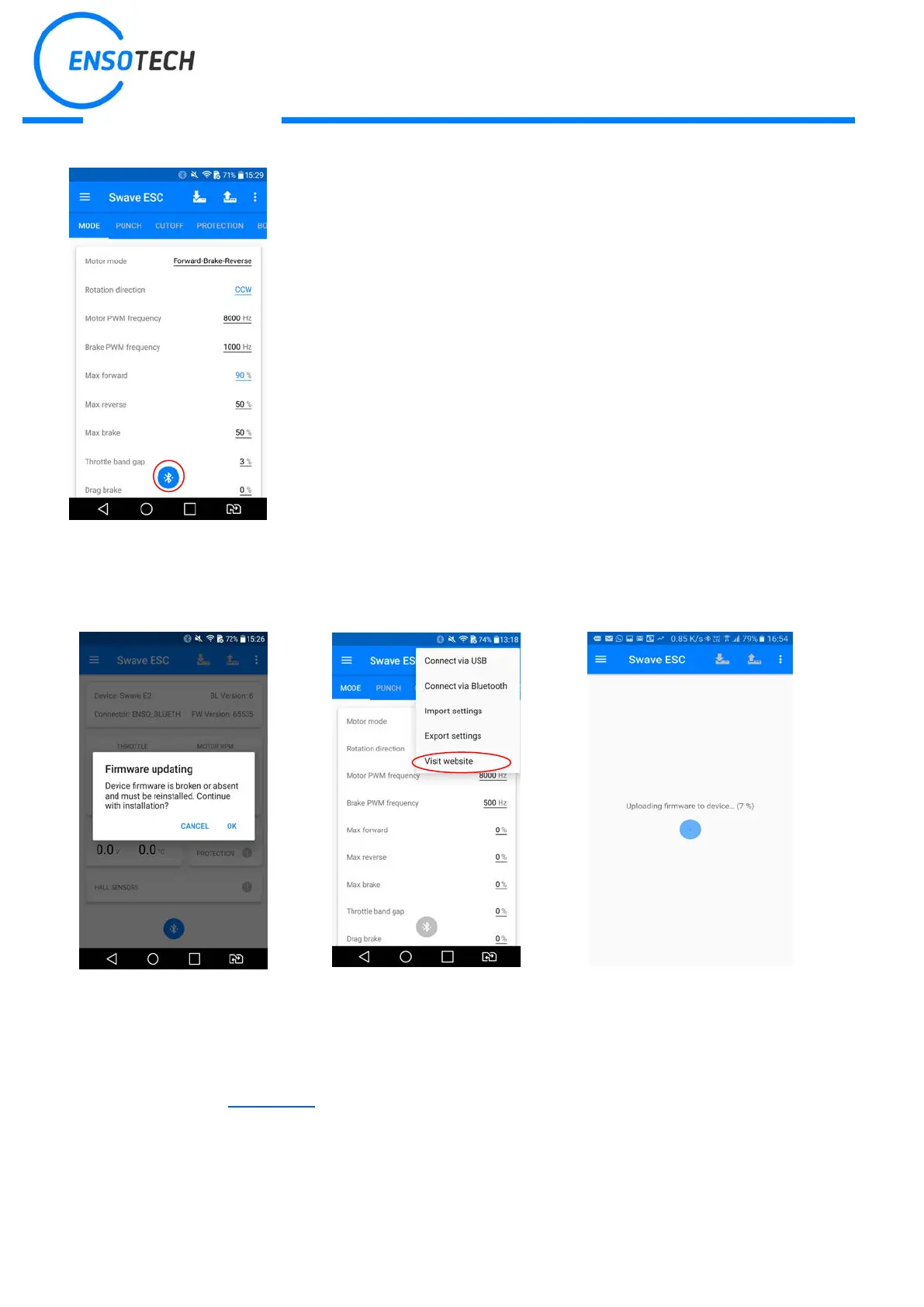
If the device is connected successfully, the color of the application icon will
change to BLUE, if it remains GREY, please, try to unplug and plug again the
USB into your Android device and wait
2 second for your android device
response. If the icon still remains grey, please, recheck all your connections.
Connection require the phones / tabs support the latest OTG. Ensotech try to
have the most compatibility but we are not guarantee and not responsible to
support every devices.
If your device uses TYPE-C USB, please make sure to use an adaptor has
OTG. If you are uncertain please do not open the package. Consults with your
sellers and other users their advice for supported model.
In case of new firmware release,
the app will show notification; you
can accept or discard update.
Chose the context menu in the
right corner and push the button
to check for updates.
Also you can find this manual at
When update is completed
successfully, ESC performs one
beep and turns on a blue LED.
*During update power must be always present, otherwise ESC can be damaged!
* Before starting the firmware update you should be sure that your phone cash is quite clear and there is no
huge number of parallel process. It will be better to start phone optimization by vendor-installed app. If your phone
hasn’t it, we recommend 360 Security app.


 To Next Page
 Loading...