© COPYRIGHT 2016 ENTERGIZE, LLC. ALL RIGHTS RESERVED. P/N 71969 3220-2345 REV 00=E
2
SETBACK OPERATION NOTES
The T8532OCC Thermostat has an onboard occupancy sensor that will setback
operation when a room becomes vacant. Service Menu 325 Occupied Sensor
Operation is turned on to enable this operation.
Occupied Timer (SM 326) - Sets the amount of time that must pass without a
detection before the control goes to Setback and starts the Ramping process.
Setback Ramping (SM 327) - Determines how the control will ramp to setback
values. Economy setting goes directly to setback values. Comfort 1 setting will
allow a 1°F per hour setback of the control set point. Comfort 2 sets back at 2°F
per hour until the selected setback value is reached.
Setback Values (SM 310 and SM 320) - Set the HEAT and COOL set points for
setback. Values can be set to OFF or 50-90F. Selection of OFF will result in a
set point of OFF.
Night Lock ON Protection (SM 328) – When enabled the control holds the
user set point between 10 PM and 8 AM, anytime occupancy is detected during
that time period. Note: This control has Low/ High Temp Protection. Freeze
protection on this control is set at 40°F (heat). Over temp protection is set at
110°F (cool).
Occupancy Sensor Detection Performance
Detection Distance: 16.4 Ft (5 meters)
Detection Range: 94° Horizontal x 82° Vertical
Input Power:
24 VAC (20-30 VAC) 50/60 Hz and/or 2 AA
Batteries
Output Rating
Terminal W,Y,A - 20-30 VAC 0.02-1.0 A
Terminal G - 20-30 VAC 0.02-0.6 A
Total Load not to Exceed 2.5 A
Temperature Control
Range:
50° to 90° F (10° to 32° C)
Operating Temperature
Range:
0° to 120° F (-18° to 49° C)
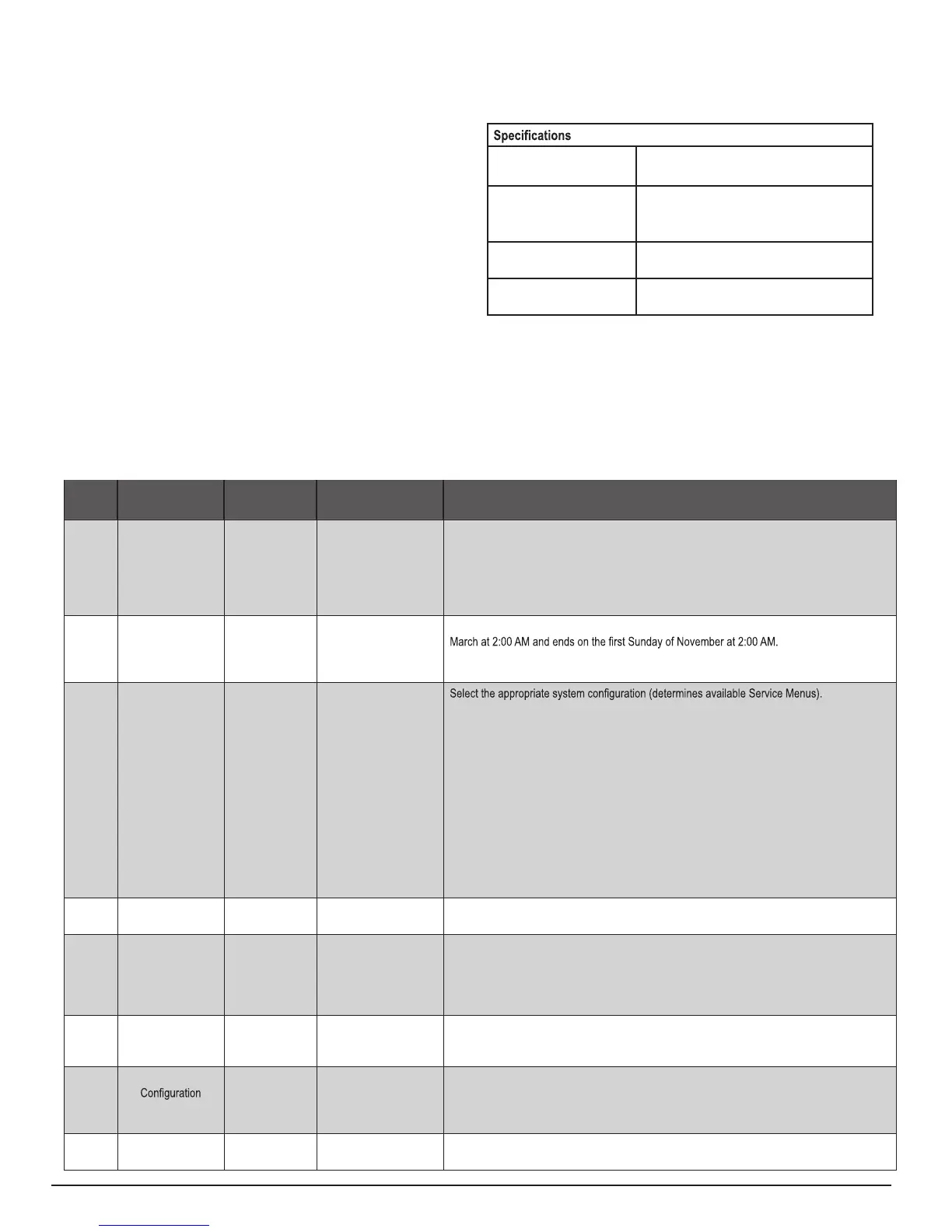
MENU FEATURE OPTIONS STD. DEFAULT DESCRIPTION / COMMENTS
100 Schedule Format 0-3 1 Select the schedule format on the T8000 Series. (Menu not available on non-programmable
thermostats.) NOTE: Set the clock before changing to non-progammable.
0 = nonprogrammable
1 = programmable
2 = 5-1-1 schedule
3 = 5-2 schedule
101 Daylight-Saving
Time
0,1 0 Select daylight-saving time as it follows standard format in U.S.: It begins second Sunday of
0 = Disabled
1 = Enabled (2007 U.S. Format)
110 System Type 1-13 1
1 = 1 Heat/1 Cool conventional
2 = 1 Heat/1 Cool heat pump
3 = Heat only without fan (2-wire systems)
4 = Heat only with fan
5 = Cool only
6 = 2 Heat/1 Cool heat pump (with auxiliary heat) and Emergency (Em) heat
7 = 2 Heat/2 Cool multistage conventional
8 = 2 Heat/ 1 Cool multistage conventional
9 = 1 Heat/ 2 Cool multistage conventional
10 = 2 Heat/ 2 Cool heat pump (no auxiliary heat)
11= 3 Heat/ 2 Cool heat pump (with auxiliary heat) and Emergency (Em) heat
12 = NA
13= NA
120 Fan Control
(heating)
0,1 1 0 = Fossil Fuel; Gas/Oil/Propane heat (equipment controls heating fan)
1 = Electric Furnace (thermostat controls heating fan)
121 Fan Speeds 1, 2, 3, 4 3 Allows selection of multiple fan speeds.
1 = Single speed Fan (G terminal)
2 = 2-speed Fan (G and E Terminals)
3 = 3-speed Fan (G,A and E Terminals)
4 = 3-speed Staged Fan
130 O/B Reversing
valve
0,1 0 When 0, output is active for cooling. When 1, output is active for heating.
0 = (O) Active with cooling
1 = (B) Active with heating
135 W1 Output
0,1 0 Changes operation of W1 for Active to Open (NC Normally Closed) to Active to Close (NO
Normally Open).
0 = NC Operation
1 = NO Operation
150 Backlight 0,1 0 0 = Backlight temporarily on
1 = Backlight always on (low intensity, 24V only)
Table 2. a dvanced configura Tion: S ervice Menu S
Some Service Menus may not be available, depending on system type (SM 110).



 To Next Page
 Loading...