10 11
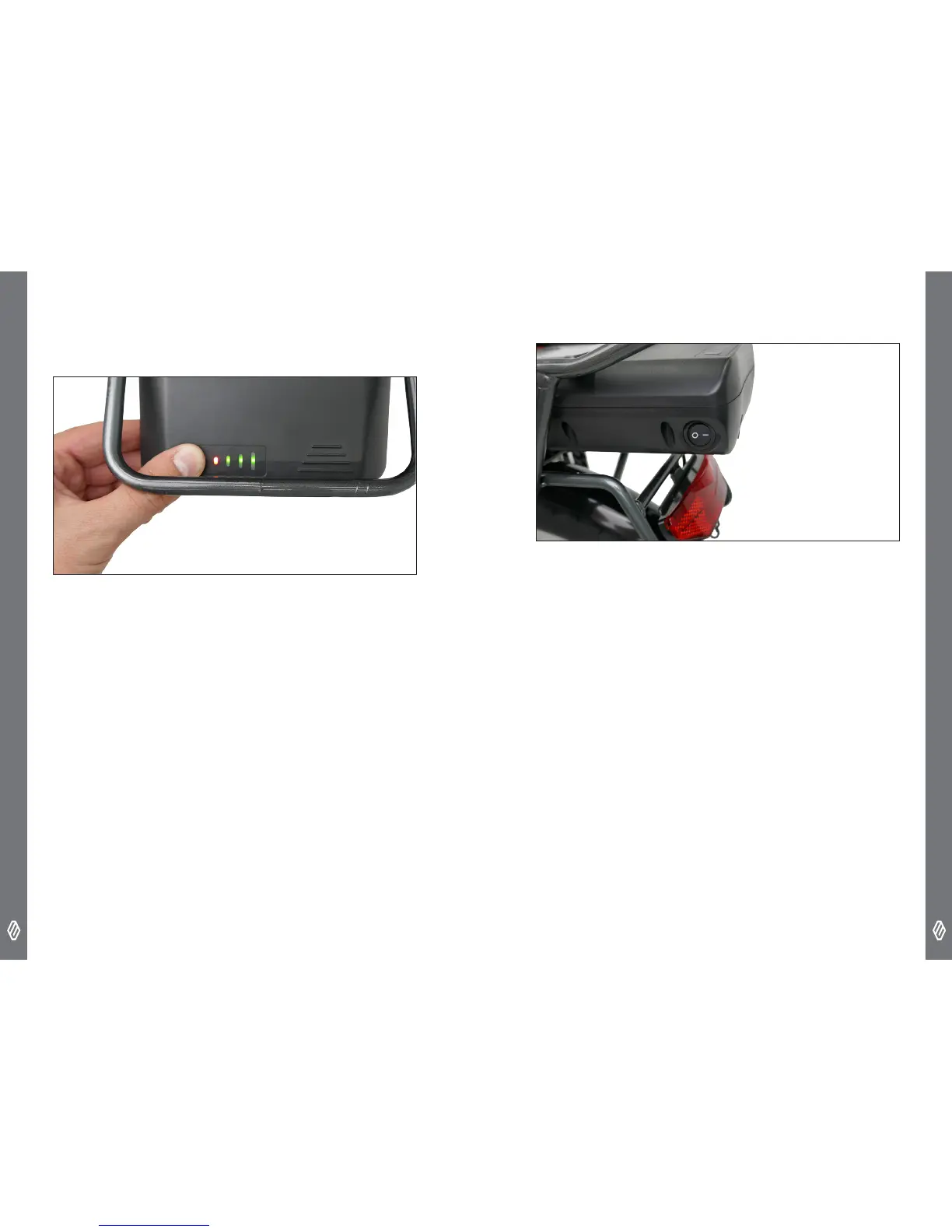
VIEWING THE REMAINING CAPACITY
To view the remaining capacity of the battery, you can use either
LCD display or the LED panel on the battery – press the button to
activate the LED’s.
Red - 0 to 25%
1 Green - 25 to 50%
2 Green - 50 to 75%
3 Green - 75 to 100%
TURNING THE BATTERY ON
The battery has its own switch, located on the rear left hand corner
of the battery. It must be switched on for the system to operate.
CHARGING THE BATTERY
The battery can be charged whilst attached to the bike or removed
from the bike and charged separately.
To charge the battery,
• Make sure that the system and battery are turned off.
• Do not make or break connections with the battery, whilst the
240V power is connected to the charger. Connect the charger to
the battery rst, then the charger to the wall socket


 To Next Page