2
1
4
5
1
2
1
1
2
1
2
1
2
1
2
1
1
2
1
2
1
1
1
1
1
2
1
1
2
1
2
Entrematic Group AB - Lodjursgatan 10 - SE-261 44 Landskrona - Sweden - www.entrematic.com
Original instructions | 42.8286 / V4 - 09.16
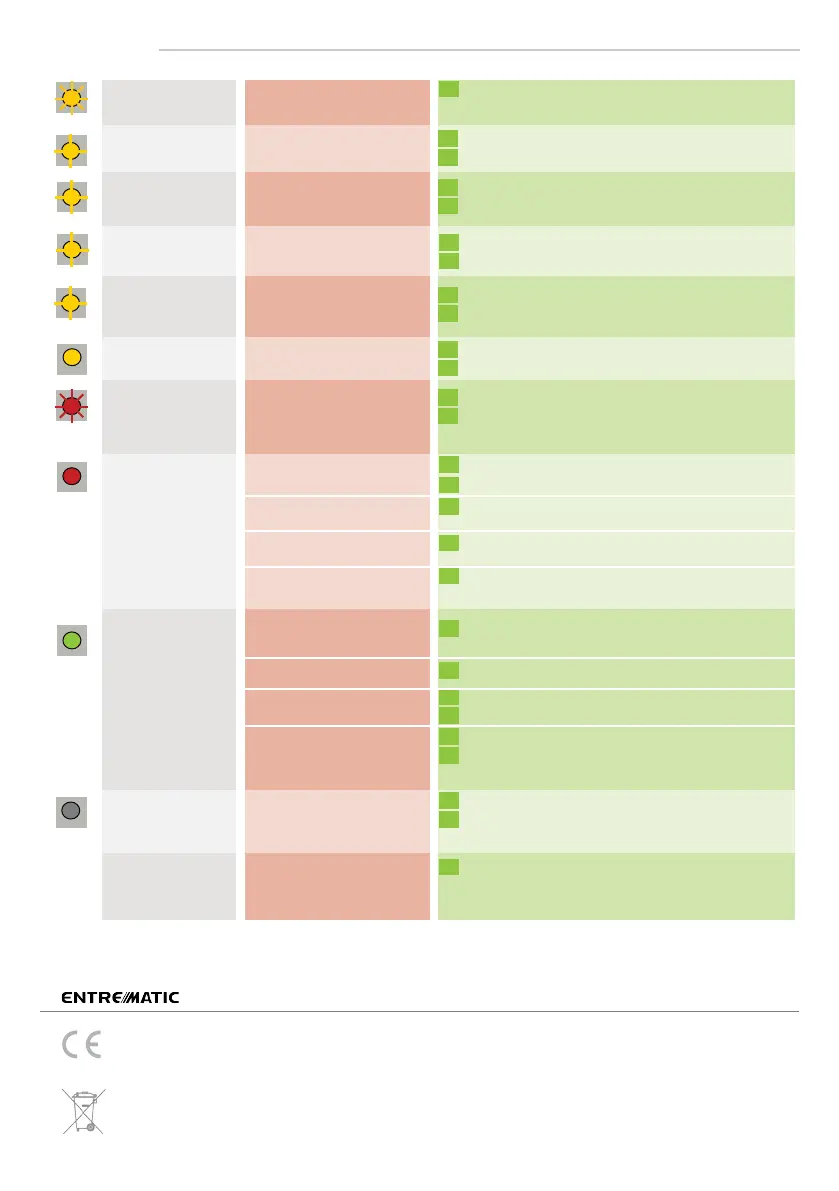
LED-SIGNALS
*excludes EN 16005-conformity of the door system
Only for EC countries: According to the European Guideline 2012/19/EU for Waste Electrical and Electronic Equipment (WEEE)
The ORANGE LED
flashes 1 x.
The ORANGE LED
flashes 2 x.
The ORANGE LED
flashes 4 x.
The ORANGE LED
flashes 5 x.
The ORANGE LED
flashes quickly.
The ORANGE LED
is on.
The RED LED flashes
quickly after an
assisted setup.
The RED LED
lights up
sporadically.
The GREEN LED
lights up
sporadically.
The LED is off.
The reaction of
the door does not
correspond to the
LED-signal.
A DIP-switch was changed
without confirmation.
The sensor signals
an internal fault.
Irregularities in the
power supply
The sensor receives
not enough IR-energy.
The sensor receives
too much IR-energy.
The sensor encounters
a memory problem.
The sensor vibrates.
The sensor sees the door
during the assisted setup.
The sensor sees the door.
The sensor is disturbed by
lamps or another sensor.
The sensor is disturbed
by the rain.
The sensor is disturbed by
rain and/or leaves.
The sensor vibrates.
Ghosting
The sensor sees the door
or other moving objects.
Check power supply.
Check wiring.
Use the 1 m prism if possible (accessory).
Check the angle of the IR-curtains.
Confirm the DIP-settings by a long push on the
push button.
Cut and restore power supply.
If orange LED lights up again, replace sensor.
Check the angle of the IR-curtains.
Launch a new assisted setup.
Attention: Do not stand in the detection field!
Change the activation mode of relay R1 (DIP 4).
Use a low energy prism if possible (accessory).
Check the angle of the IR-curtains.
Check if the sensor is fastened firmly.
Check position of prism and cover.
Choose the critical environment presetting (DIP 1+2).
Choose the critical environment presetting (DIP 1+2).
Choose the critical environment presetting (DIP 1+2).
Change radar antenna angle.
Check if the sensor is fastened firmly.
Check position of cable and cover.
Remove the objects if possible.
Change radar field size.
Launch an assisted setup and adjust the IR angle.
Cut and restore power supply.
If orange LED flashes again, replace sensor.
Check connections to test output.
If your door controller is not able to test the sensor,
connect the red and blue cable to the power supply.*
PLEASE KEEP FOR FURTHER USE - DESIGNED FOR COLOUR PRINTING
Entrematic Group AB, Lodjursgatan 10, SE-261 44 Landskrona, Sweden, hereby declares that the Entrematic PAS024ASW & PAS024AS
is in conformity with the basic requirements and the other relevant provisions of the directives 2014/53/EU, 2011/65/EU and 2006/42/EC.
Notified Body for EC-type inspection: 0044 - TÜV NORD CERT GmbH, Langemarckstr. 20, D-45141 Essen
EC-type examination certificate number: 44 205 13 089601-001
Landskrona, September 2016 Marco Pietro Zini, authorized representative and responsible for technical documentation
The complete declaration of conformity is available on our website.



 To Previous Page
 Loading...