Page 2 Envoy Connect User Guide
Envoy Connect
Quick Start Guide
Player Description:
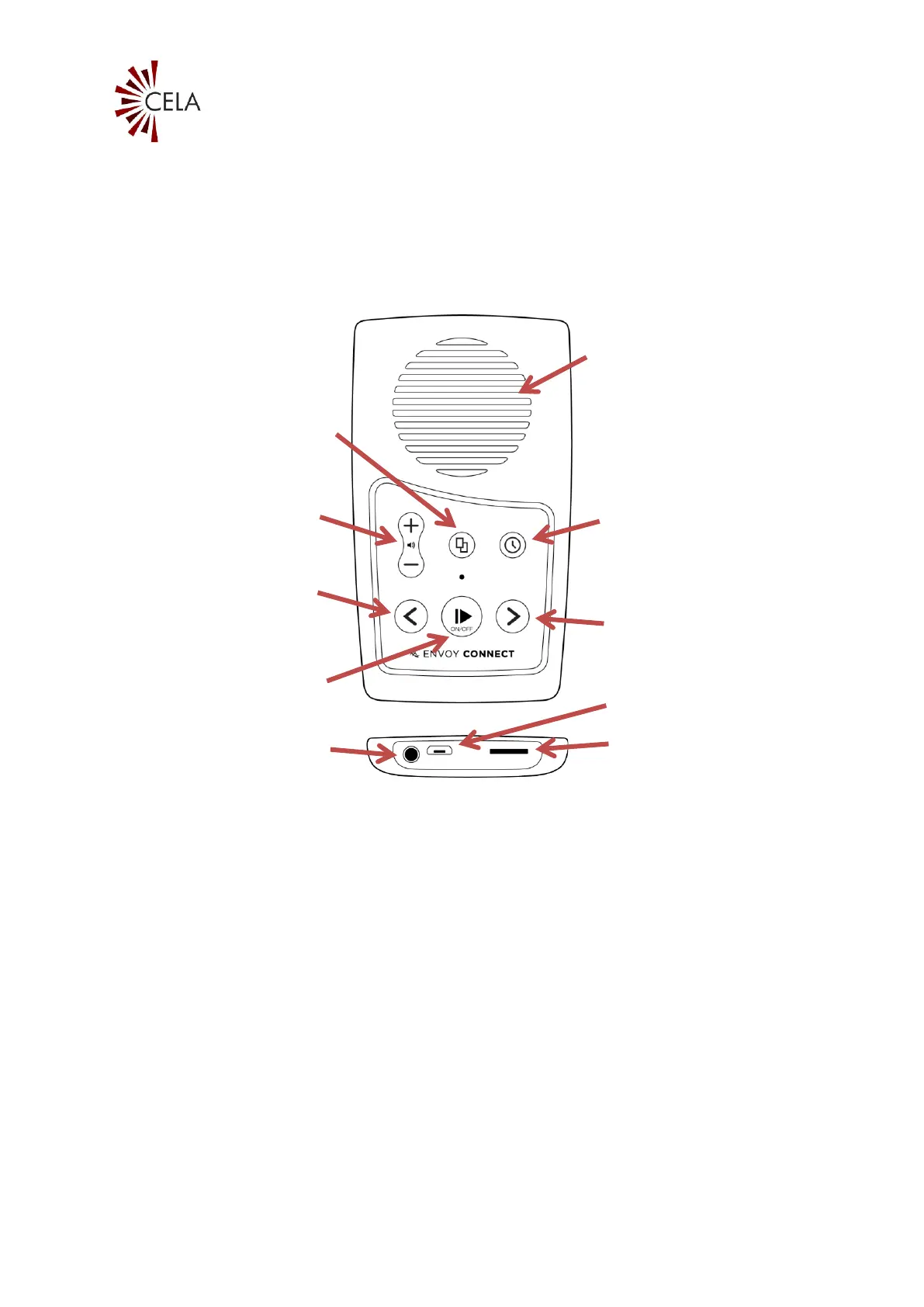
On the front face of the Envoy Connect Player is the
speaker. Below that is the keypad with raised buttons.
The keypad has two rows of buttons. Upper left is the
volume up and down buttons. Upper middle is the
Bookshelf button. Upper right is the Sleep Timer button.
At the lower left of the keypad is the Back button. Lower
middle is the large round Power and Play button. Lower
right is the Forward button.


 To Next Page