Page 8 Envoy Connect User Guide
Envoy Connect
User Guide - Additional Features
The following features are additional to those listed in
the Quick Start Guide.
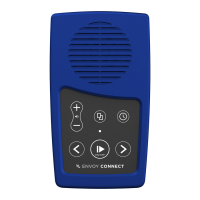
- Volume Up: Press and hold to increase volume
rapidly. A double beep will sound when maximum
volume is reached.
- Volume Down: Press and hold to decrease volume
rapidly. A double beep will sound when minimum
volume is reached. Note that it is not possible to turn
the volume off completely.
- Volume Memory: The Player will remember your
volume setting, even if the Player is turned off.
- Bookmark: The Player will automatically remember
where playback stopped, even if the Player is turned
off. It will resume playback from that position when
pressing the Play button.
- Skip to Beginning: If you press the Back button
when playing the first section of a book, it will skip
back to the beginning of the book and resume
playback.
- Skip to End: If you press the Forward button when
playing the last section of a book, a chime will sound
to let you know there is no ‘next section’ and
playback will resume.


 To Next Page
 Loading...