Need help?
Do you have a question about the ENYA MUSIC NEXG 2N and is the answer not in the manual?
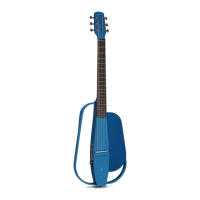
Introduction to the NEXG 2N guitar's main components and design.
Details on the NEXG 2N's dimensions, materials, power, and audio capabilities.
Step-by-step guide on how to attach the detachable upper body frame to the NEXG 2N.
Description of the USB, Phone, Line Out, and Mic In jacks and their functions.
Details the Function Keys, Main Knob, and Display Screen on the guitar's control panel.
Instructions on how to charge the NEXG 2N guitar using the provided adapter or PD charger.
Guide on selecting the device language and activating features via the Enya Music App.
Explanation of the Main Menu interface and its status bar icons.
Using the built-in tuner and understanding the available tuning alert feedback options.
Switching, managing, and editing effect presets, including accessing the online library.
Operating the Drum Machine, Follow Mode, and Looper for music creation and playback.
How to pair, operate, and understand the indicators of the wireless footswitch.
Procedures for replacing guitar strings and adjusting the truss rod for optimal playability.
Installing the app, connecting the guitar, and managing effect presets through the mobile interface.
Editing EQ, effect parameters, effect chains, and performing advanced acoustic profiling for tone shaping.
Using the Enya Music App to control the Looper and Drum Machine features.
Adjusting system preferences like screen brightness, breathing light, mic pairing, and factory reset.
Safety warnings, usage guidelines, and details about the product's limited warranty coverage.
 General
| Brand | ENYA MUSIC |
|---|---|
| Model | NEXG 2N |
| Category | Musical Instrument |
| Language | English |


 To Next Page