05
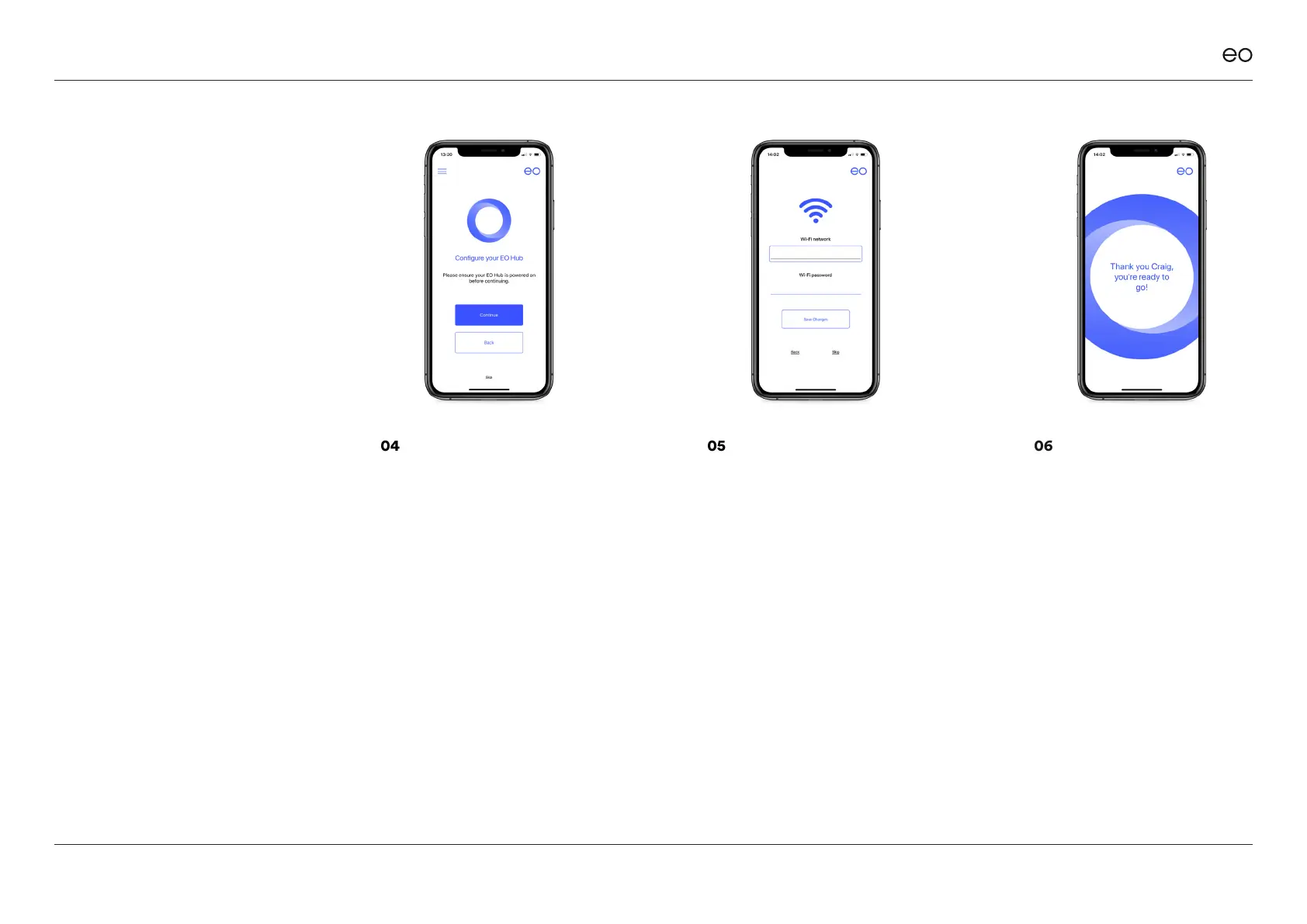
The app shall now scan for any
available Wi-Fi networks and
ask the homeowner which
Wi-Fi network the EO Mini Pro
2 should join.
06
The EO Mini Pro shall now join
the homeowner’s Wi-Fi and
associate the EO Mini Pro 2 to
the Home Owner’s account in
the EO Cloud. Note that this
process can take a few minutes.
EO Mini Pro 2 Installation & User Guide
© EO Charging 2020
04
Click “Start Installation” and the
app shall ask the homeowner
to scan the QR code on the
side of the EO Mini Pro 2. Scan
the QR code and then the app
will attempt to join the Wi-Fi
hotspot of the EO Mini Pro 2.
17



 To Next Page