18
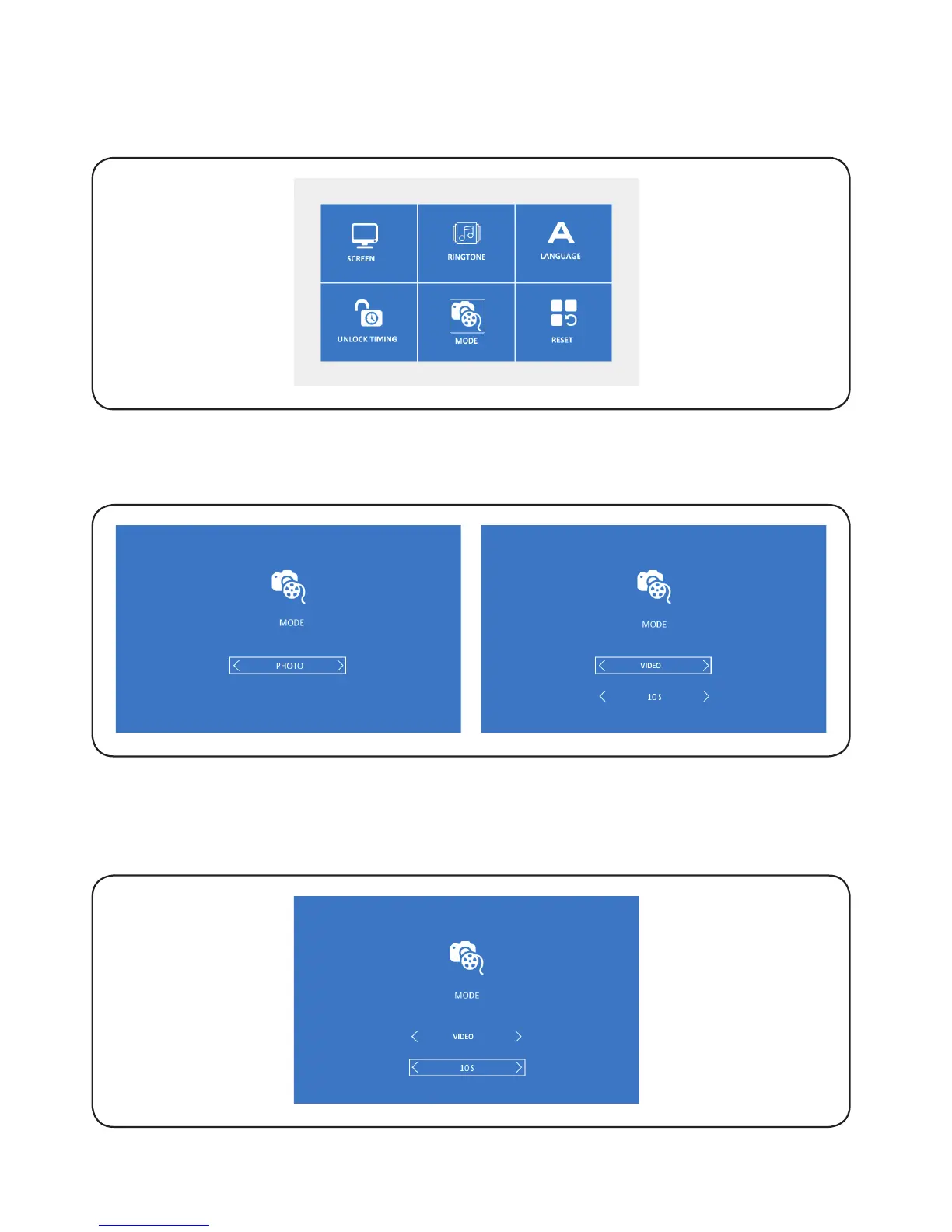
6.7.3. Press ‘Enter’ to select the required icon and then press ‘left/right’ to change
the values, press ‘OK’ to save and exit. The values are the duration of the
video recorded when motion detection and the video when calling.
6.7. MODE
6.7.1. Press ‘left/right’ to select ‘Mode’, and then press ‘OK’ to confirm and access
the selected setting.
6.7.2. Press ‘OK’ to select the required icon, and then press ‘left/rignt’ to select
‘Video’ or ‘Photo’ mode, press ‘OK’ to save and exit.


 To Next Page