19
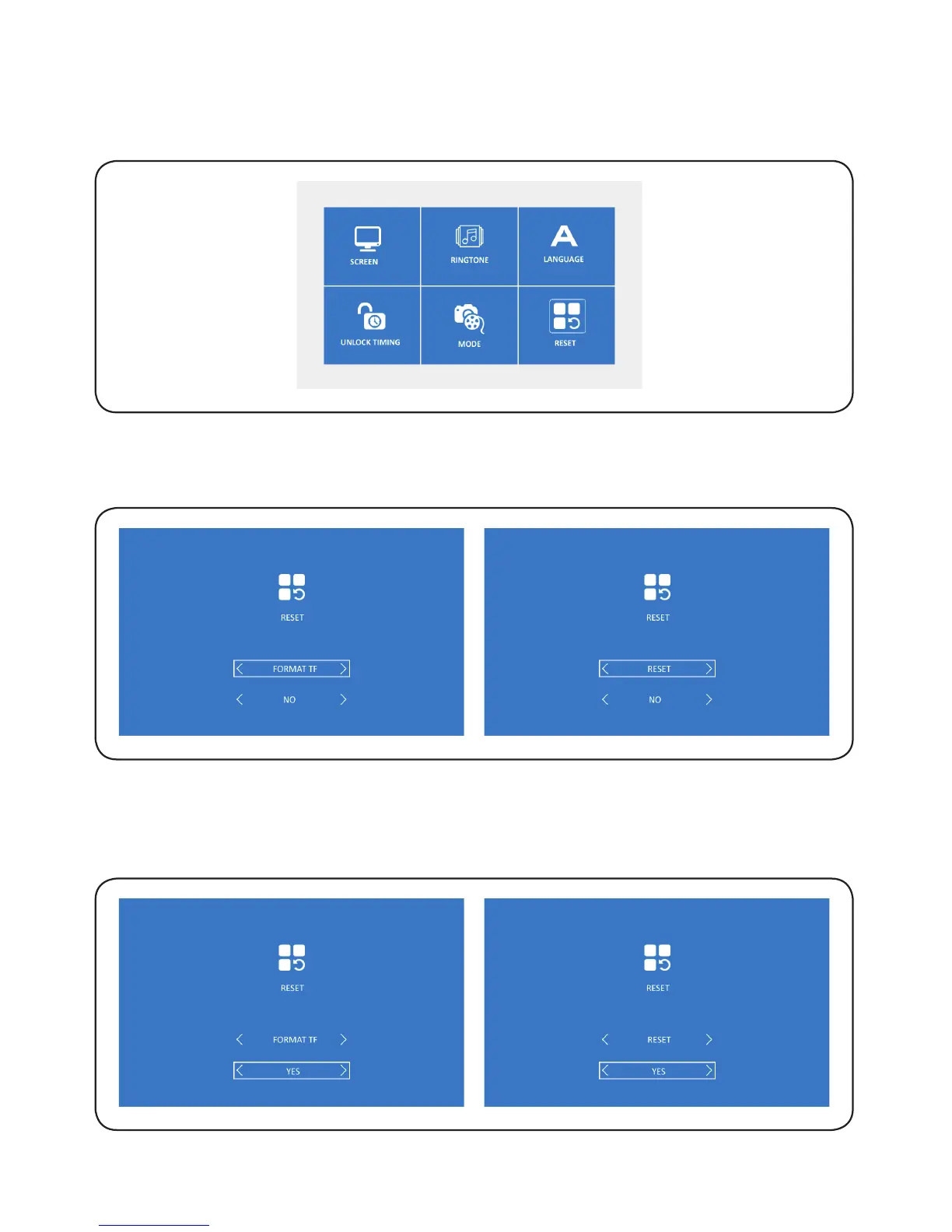
6.8.3. Press ‘OK’ to select the required icon, press ‘left/right’ to select ‘Yes’, and
then press ‘OK’ and the selection is validated. Or press ‘return’ to exit
directly.
6.8. RESET
6.8.1. Press ‘left/right’ to select ‘RESET’, and then press ‘OK’ to confirm and access
the selected setting.
6.8.2. Press ‘OK’ to select the required icon, and then press ‘left/right’ to select
‘Format TF’ or ‘Reset’.


 To Next Page