11
BWD button will increase the speed (press BWD button to decrease speed at forward motion).
E. LED Indicator: Remote Control signal indicator.
F. Right Turn: Same as left arrow function
G. Remote ON/OFF Switch: Turn the Remote-Control power ON/OFF.
H. Cruise Ctrl (Timer Function): 10, 20, 30 Seconds moving control (roughly 10, 20, 30
yard/meter) Increase 10 seconds (10 yards) each press. 30 seconds (30 yards) max.
Important Notes:
• Change remote control batteries once the indicator LED gets weak or dim. The remote
control uses 2 x 1.5V AAA batteries.
• The maximum range of the remote control varies between 80-100 yards, depending on the
battery level, obstacles, atmospheric conditions, power lines and topography of the course.
It is strongly recommended to operate the caddy at a maximum range within 50 yards in
order to prevent the loss of control of the caddy!
• Remote Control Connection: This is used to align the caddy frequency with an out-of-tune
or replacement remote control or new control box.
Step 1 - Make sure the power is totally off for at least five (5) seconds.
Step 2 - Hold down the STOP button on the remote.
Step 3 - Power up cart. Continue to hold down the stop button.
Step 4 - Continue to hold down the stop button until the lights on the LED screen blink.
Step 5 - Cart is now in “sync” test each function to assure all are functioning.
3.3. Additional Function
3.3.1. Tracking Adjustment:
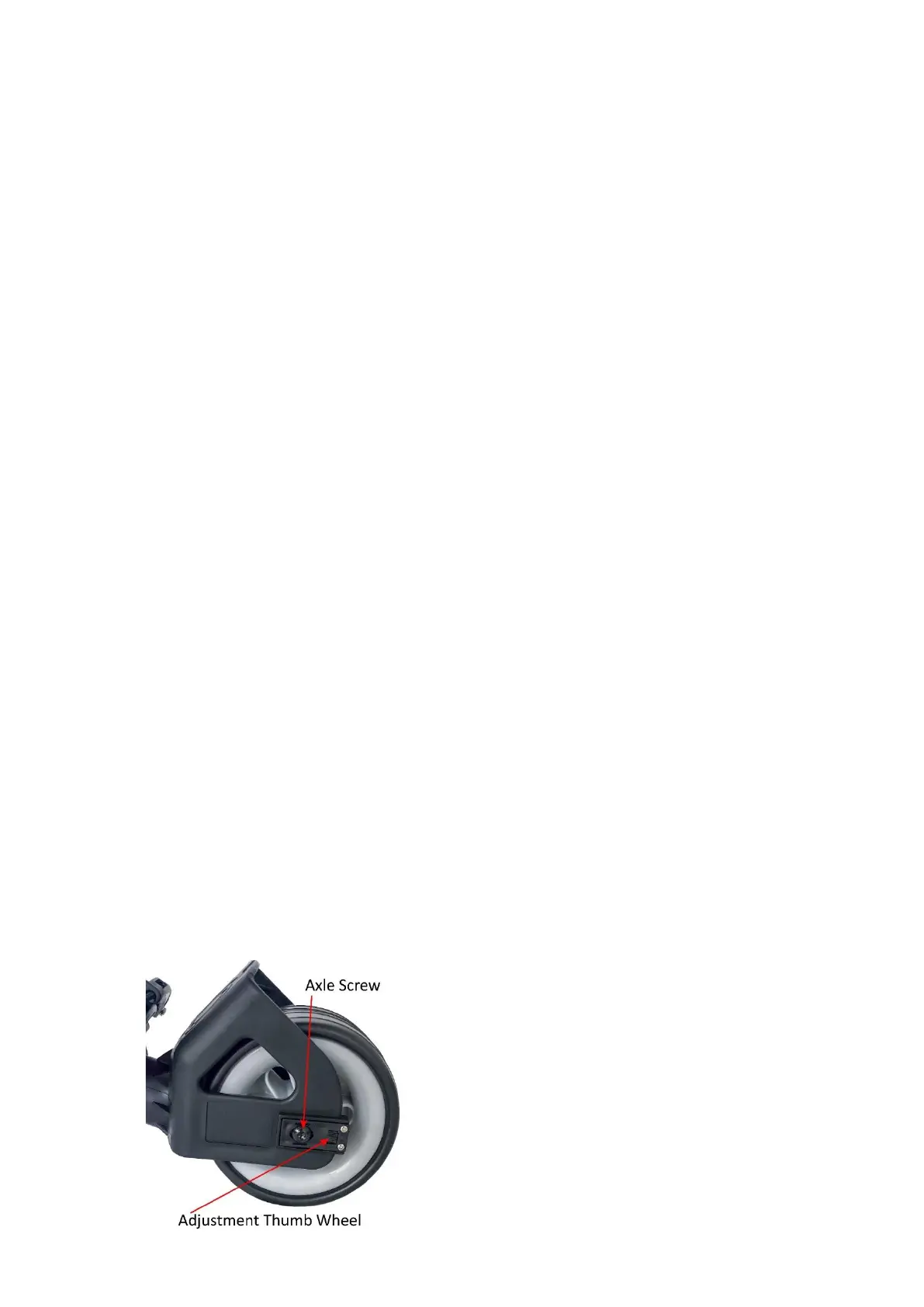
The tracking can be adjusted via the adjustment mechanism mounted to the front wheel.
Turning the adjustment thumb wheel DOWN (left and/or right side of the front wheel) to adjust
the alignment to RIGHT direction, tuning the thumb wheel UP to adjust the alignment to LEFT
direction.


 To Next Page