12
3.4. Test Caddy
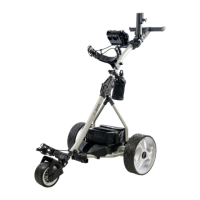
Test caddy power supply by pressing POWER button on T-handle. All power volume lights (Red,
Yellow, Green) should come on and caddy should be operable by both the manual control on
the T-handle and remote control.
Note: Familiarize yourself with the T-handle control and remote-control functions.
Before you start operating the caddy. NOW: Please read and follow the operating instructions
BEFORE you operate the caddy.
3.4.1. Test Environment
First, make sure that you perform your first test of the caddy in a wide and safe area, free of
obstructions or valuables, such as people, parked automobiles, flowing traffic, water body (river,
swimming pool, pond, etc.), steep hills, cliffs or similar hazards.
3.4.2. Manual Control Operation
Turn the main power on by pressing POWER button on T-handle. The manual functions of the
caddy are controlled through the rheostat control knob on the right side of the T-handle. Turn
the knob forward (clockwise) will control the forward movement of the caddy. In order to slow
down the caddy, turn the knob backward (counterclockwise). Push the GO/STOP button any
time to pause or replay the caddy. Turn the knob dead end of backward to stop the caddy
completely. Test “10M”, “20M” and “30M” timer function.
3.4.3. Remote Control Operation
Make sure you are close to the caddy all the time while testing it and familiarizing yourself
with the remote control!
Now turn on the main power of caddy, and make sure the manual speed control knob is in “0”
position (turn it to dead end of backward).
ONE touch of the Forward or Backward Arrow button on remote starts the caddy in either
direction. Further presses increase speed. In order to STOP the caddy, press the round red
STOP button in the middle of the remote. To turn the caddy in either direction, push the Left or
Right Arrow button. Once you release the button, the caddy will continue in the current
direction at the same speed prior to the turning command. You will notice that the caddy reacts
promptly to any turning command, so it will take you some practice to get just the right touch
for turning maneuvers. Please be aware that the turning characteristics will change depending
on the surface (grass or asphalt), the slope or the weight (loaded, unloaded) of your caddy.
The remote is designed to have a reach of approximately 80-100 yards, but we strongly
recommend operating the caddy in closer range of 10-30 yards (do not exceed 50 yards) to be
able to react to any unforeseen events, such as other golfers crossing your path or to avoid
hidden obstructions (creeks, bunkers, GUR, etc.) or a unexpected disconnection in remote
operation.
Automatic stop feature. An additional safety feature of this caddy is that it will stop moving at
remote control mode, if it does not receive a signal from the remote control at least every 25-
30 seconds. This way, should you ever be distracted, your caddy does not get away.
Timer Function. By pressing the lower middle TIMER button on the remote to active Cruise
Control (timer function).


 To Next Page
 Loading...