EasyManua.ls Logo

epiphan av.io hd - User Manual

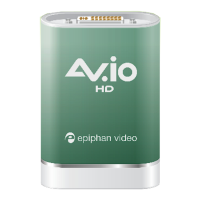
epiphan av.io hd
49 pages
Print Icon
To Next Page IconTo Next Page
Loading...
Epiphan AV.io HD
User Guide
Release 2.1.1
January 21, 2016
UG107-04
Question and Answer IconNeed help?

Do you have a question about the epiphan av.io hd and is the answer not in the manual?

Summary

Terms and conditions

Limitation of Liability

Details limitations on Epiphan's liability regarding the software and documentation.

Technical support

Product feedback

User feedback is collected to improve product performance and reliability.

Specifications

Information on product specifications and additional details for AV.io HD.

Warranty

Details the 100% return to depot warranty for one year from the date of purchase.

Firmware 2.1.1 release notes

Whats new

Details the main features introduced in firmware release 2.1.1.

VGA capture customization

Allows adjustment of camera controls and image filter settings for VGA sources.

Quickstart

Setting up your AV.io HD

Guide to easily capture live video and audio content with minimal setup.

Getting started

Whats in the box?

Lists and describes the contents included with the AV.io HD product.

System requirements

Video source

Specifies the types of video sources compatible with AV.io HD.

Video capture workstation

Lists hardware and OS requirements for the computer.

Technical specifications

Hardware

Hardware diagrams

Illustrates the physical features and ports of the AV.io HD device.

Indicator LED details

Explains the meaning and function of the device's indicator LED.

Capture

Set up your AV.io HD for capture

Step-by-step guide to connecting AV.io HD for capturing video content.

How AV.io HD works

Resolutions, capture rates and aspect ratios

Automatic image scaling & audio resampling

Third-party applications

Lists applications compatible with AV.io HD for capturing content.

Configuration options

Input signal resolution (disabled by default)

Adds exact input resolution to supported list for 1:1 capture.

Preserve aspect ratio (enabled by default)

Maintains input signal aspect ratio by adding black bars or stretching.

Performance mode (enabled by default)

Controls device's suspend mode behavior for faster wake-up at cost of power.

Audio selector for multichannel inputs

Option for selecting audio input for multichannel sources.

Install the AV.io Config tool

Windows

Step-by-step instructions for installing AV.io Config tool on Windows systems.

Mac

Step-by-step instructions for installing AV.io Config tool on macOS.

Linux

Step-by-step instructions for installing AV.io Config tool on Linux systems.

Configure settings using AV.io Config tool

Update firmware using the AV.io Config tool

Advanced settings for VGA capture

VGA capture applications

Lists third-party applications for adjusting VGA capture settings.

Adjusting VGA capture settings on Windows;Mac (using Adobe FMLE)

How to adjust brightness, contrast, pan, and tilt settings on Windows/Mac.

Restoring VGA capture settings to default on Windows;Mac (using Adobe FMLE)

How to reset VGA capture settings to their default values using Adobe FMLE.

Adjusting VGA capture settings on Linux (using v4 l2 ucp)

How to adjust brightness, contrast, pan, and tilt settings on Linux.

Restoring VGA capture settings to default on Linux (using v4 l2 ucp)

How to reset VGA capture settings to their default values using v4l2ucp.

Limitations and known issues

Affecting all operating systems

Issues and workarounds applicable to all operating systems.

Affecting Windows

Known issues specific to Windows operating systems.

Troubleshooting

Affecting all operating systems

Troubleshooting steps for general issues across all operating systems.

Affecting Windows

Troubleshooting specific to Windows, including resolution for common problems.

Affecting Mac

Troubleshooting specific to macOS, covering capture and audio issues.

Affecting Ubuntu

Troubleshooting for Ubuntu, addressing video call issues.

Affecting Chromebook

Troubleshooting for Chromebooks, focusing on device detection issues.

Releases and features

Release 1.0.13 features

Lists features introduced in firmware release 1.0.13.

Release 1.0.10 features

Lists features from the initial release (1.0.10) of AV.io HD.

Software and documentation license

Definitions

Defines key terms used within the software license agreement.

Disclaimer of Warranties

Outlines the warranties and disclaimers for the software and documentation.

Limitation of Liability

Details limitations on Epiphan's liability regarding the software and documentation.

Term and Termination

Explains the duration and conditions for terminating the software license agreement.

Export Restrictions

Information regarding export and import restrictions for the software and documentation.

Intellectual Property

Details trademarks and intellectual property rights of Epiphan Systems Inc.

Environmental Information

Information on the environmental impact and responsible disposal of the product.

FCC & CE Compliance Statement

Statements regarding compliance with FCC and CE regulations.

Enforcement of Terms and Conditions

Other Jurisdictional Issues

Discusses jurisdiction and local law compliance for Epiphan products.

Submissions to Epiphan and Affiliated Servers

Outlines terms for submitting information, ideas, or suggestions to Epiphan.

Third Parties and Links to Third-Party Web Sites

Information on third-party products, services, and website links.

Summary

Terms and conditions

Limitation of Liability

Details limitations on Epiphan's liability regarding the software and documentation.

Technical support

Product feedback

User feedback is collected to improve product performance and reliability.

Specifications

Information on product specifications and additional details for AV.io HD.

Warranty

Details the 100% return to depot warranty for one year from the date of purchase.

Firmware 2.1.1 release notes

Whats new

Details the main features introduced in firmware release 2.1.1.

VGA capture customization

Allows adjustment of camera controls and image filter settings for VGA sources.

Quickstart

Setting up your AV.io HD

Guide to easily capture live video and audio content with minimal setup.

Getting started

Whats in the box?

Lists and describes the contents included with the AV.io HD product.

System requirements

Video source

Specifies the types of video sources compatible with AV.io HD.

Video capture workstation

Lists hardware and OS requirements for the computer.

Technical specifications

Hardware

Hardware diagrams

Illustrates the physical features and ports of the AV.io HD device.

Indicator LED details

Explains the meaning and function of the device's indicator LED.

Capture

Set up your AV.io HD for capture

Step-by-step guide to connecting AV.io HD for capturing video content.

How AV.io HD works

Resolutions, capture rates and aspect ratios

Automatic image scaling & audio resampling

Third-party applications

Lists applications compatible with AV.io HD for capturing content.

Configuration options

Input signal resolution (disabled by default)

Adds exact input resolution to supported list for 1:1 capture.

Preserve aspect ratio (enabled by default)

Maintains input signal aspect ratio by adding black bars or stretching.

Performance mode (enabled by default)

Controls device's suspend mode behavior for faster wake-up at cost of power.

Audio selector for multichannel inputs

Option for selecting audio input for multichannel sources.

Install the AV.io Config tool

Windows

Step-by-step instructions for installing AV.io Config tool on Windows systems.

Mac

Step-by-step instructions for installing AV.io Config tool on macOS.

Linux

Step-by-step instructions for installing AV.io Config tool on Linux systems.

Configure settings using AV.io Config tool

Update firmware using the AV.io Config tool

Advanced settings for VGA capture

VGA capture applications

Lists third-party applications for adjusting VGA capture settings.

Adjusting VGA capture settings on Windows;Mac (using Adobe FMLE)

How to adjust brightness, contrast, pan, and tilt settings on Windows/Mac.

Restoring VGA capture settings to default on Windows;Mac (using Adobe FMLE)

How to reset VGA capture settings to their default values using Adobe FMLE.

Adjusting VGA capture settings on Linux (using v4 l2 ucp)

How to adjust brightness, contrast, pan, and tilt settings on Linux.

Restoring VGA capture settings to default on Linux (using v4 l2 ucp)

How to reset VGA capture settings to their default values using v4l2ucp.

Limitations and known issues

Affecting all operating systems

Issues and workarounds applicable to all operating systems.

Affecting Windows

Known issues specific to Windows operating systems.

Troubleshooting

Affecting all operating systems

Troubleshooting steps for general issues across all operating systems.

Affecting Windows

Troubleshooting specific to Windows, including resolution for common problems.

Affecting Mac

Troubleshooting specific to macOS, covering capture and audio issues.

Affecting Ubuntu

Troubleshooting for Ubuntu, addressing video call issues.

Affecting Chromebook

Troubleshooting for Chromebooks, focusing on device detection issues.

Releases and features

Release 1.0.13 features

Lists features introduced in firmware release 1.0.13.

Release 1.0.10 features

Lists features from the initial release (1.0.10) of AV.io HD.

Software and documentation license

Definitions

Defines key terms used within the software license agreement.

Disclaimer of Warranties

Outlines the warranties and disclaimers for the software and documentation.

Limitation of Liability

Details limitations on Epiphan's liability regarding the software and documentation.

Term and Termination

Explains the duration and conditions for terminating the software license agreement.

Export Restrictions

Information regarding export and import restrictions for the software and documentation.

Intellectual Property

Details trademarks and intellectual property rights of Epiphan Systems Inc.

Environmental Information

Information on the environmental impact and responsible disposal of the product.

FCC & CE Compliance Statement

Statements regarding compliance with FCC and CE regulations.

Enforcement of Terms and Conditions

Other Jurisdictional Issues

Discusses jurisdiction and local law compliance for Epiphan products.

Submissions to Epiphan and Affiliated Servers

Outlines terms for submitting information, ideas, or suggestions to Epiphan.

Third Parties and Links to Third-Party Web Sites

Information on third-party products, services, and website links.

epiphan av.io hd Specifications

General IconGeneral
Video InputHDMI
Video OutputUSB 3.0
ResolutionUp to 1080p
Audio InputHDMI embedded audio
CompatibilityWindows, Mac, Linux
Maximum Input Resolution1920 x 1080
Maximum Frame Rate60 fps
Audio OutputUSB audio
AudioStereo
ConnectivityUSB 3.0
Power SupplyUSB bus powered

Related product manuals