
 Need help?
Do you have a question about the Epiq Solutions Sidekiq Z2 and is the answer not in the manual?
Details the RF receiver specifications including tuning range, filters, noise figure, and gain control.
Details the RF transmitter specifications including tuning range, output power, and gain control.
Details the three U.FL antenna ports (Rx and Tx/Rx) for RF connectivity.
Describes the User LED, FPGA Programming Done LED, and Power Good LED functions.
Covers the external 40 MHz reference clock input options via W.FL or MiniPCIe.
Explains the RF shield's role in noise reduction and thermal dissipation.
Details the onboard temperature and Inertial Measurement Unit (IMU) sensors.
Details the MiniPCIe edge connector and its signals for USB, serial, JTAG, and GPIO.
Provides an overview of the available software and FPGA components for Sidekiq Z2.
Compares the Evaluation Kit (EVK) and Platform Development Kit (PDK) options.
Explains how to obtain technical support for EVK and PDK configurations.
Details the process for building the Analog Devices and Epiq Solutions BSPs.
Compares FPGA resource utilization between ADI and Epiq Solutions FPGA designs.
Highlights features like timestamping, PPS, buffering, and custom IP integration.
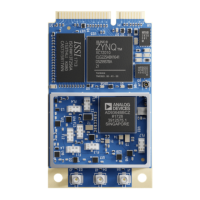
Describes the Sidekiq Z2 and its Simple Carrier Card (SCC) for power and I/O.
Details the USB-C connector for OTG/power and the DC power input barrel jack.
Details the Tri-Color LED, Pushbutton, and MiniPCIe Card Slot functions.
Covers the 1.8V and 3.3V GPIO connectors for accessing Zynq SoC signals.
Explains access to the Linux serial console and JTAG interface.
Details SMA RF connectors and the procedure for powering up the device.
Explains the JTAG interface, including the JTAG_BOOT_EN option.
Covers updating u-boot, kernel, and filesystem using DFU mode.
Provides commands using dfu-util to update u-boot, environment, kernel, and filesystem.
Lists the necessary hardware, software, and files for Sidekiq Z2 bootstrap recovery.
Outlines the step-by-step process for bootstrapping and recovering Sidekiq Z2.
Discusses integrating Sidekiq Z2 into host systems with MiniPCIe slots.
Explains how to develop custom carrier cards for specific I/O requirements.
Provides an overview of the Matchstiq Z2, its form factor, and key system specifications.
Illustrates and labels the front and rear I/O ports of the Matchstiq Z2.
Lists and describes the I/O ports and their functions for the Matchstiq Z2.
 General
| Brand | Epiq Solutions |
|---|---|
| Model | Sidekiq Z2 |
| Category | Network Hardware |
| Language | English |

 To Next Page

