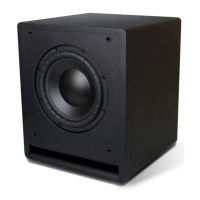
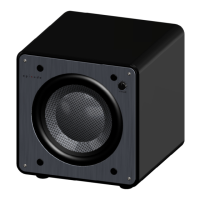
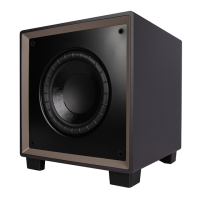
This document serves as the owner's manual for the Episode Evolution Series Powered Subwoofers, specifically covering models ES-SUB-EVO8-110, ES-SUB-EVO10-200, and ES-SUB-EVO12-300. It provides comprehensive instructions for installation, setup, operation, and troubleshooting, ensuring users can optimize their audio experience.
Function Description
The Episode Evolution Series Powered Subwoofers are designed to enhance audio systems by accurately reproducing low frequencies, making them an excellent choice for both music and movie experiences. These subwoofers integrate advanced technology components to deliver powerful and clear bass. They are engineered to seamlessly blend with existing audio setups, particularly with Episode loudspeakers, to create a cohesive and immersive sound environment. The subwoofers feature world-class digital amplifier technology, which maximizes performance while generating minimal heat, contributing to their energy efficiency.
Usage Features
The subwoofers offer a range of features designed for user convenience and optimal sound integration:
- High-Gloss Cabinet: The subwoofers are housed in attractive, furniture-quality cabinets available in gloss black or white. These cabinets are designed for rigidity and sound clarity, allowing them to blend easily into various room aesthetics.
- Tuned System Performance: Users can fine-tune the subwoofer's output to match their specific listening environment and preferences. This includes a rear-mounted volume control for adjusting the overall bass level, a low-pass crossover adjustment to control the highest frequency the subwoofer will play, and a continuously variable phase control (0-180 degrees) to ensure optimal system integration and a seamless blend with other speakers.
- Signal-Sensing for Automatic Power Control: The subwoofers offer two power mode options: "Always On" and "Auto Sense." When "Auto Sense" is selected, the subwoofer automatically switches to a power-saving standby mode when no input signal is detected for approximately 15 minutes. It will power on automatically when a minimal signal is detected on the input jacks, providing energy efficiency without requiring manual intervention.
- Gold-Plated Inputs: To maximize performance and ensure high-quality connections, the subwoofers are equipped with gold-plated inputs. Stereo RCA unbalanced inputs are included for easy connections, with the left RCA input also serving as an LFE (Low Frequency Effects) input for direct connection from a receiver or processor in home theater setups. For added versatility, gold-plated, five-way binding-post speaker-level inputs and outputs are also provided.
- Flush-Mounted Grille: The design incorporates a flush-mounted grille, which gives the subwoofer a smaller profile, making it easier to discreetly integrate into any room.
- Connection Flexibility: The subwoofers support both line-level RCA connections and high-level speaker connections. Users are advised to choose only one connection method to avoid potential issues. For line-level connections, high-quality, low-impedance RCA cables with adequate shielding are recommended. For high-level connections, two-conductor loudspeaker cable appropriate for the installation environment and wire length should be used.
- Voltage Selector Switch: A voltage selector switch allows users to select the appropriate input voltage (default: 100-120V), ensuring compatibility with different electrical systems.
- Master Power Switch: A rocker switch is provided to completely turn off power to the subwoofer.
- Power Cord Inlet: The subwoofer connects to an electrical outlet using the included power cord.
- STATUS LED: An LED indicator shows the subwoofer's status: red for standby or off mode (with AC power present), and blue for on mode or auto sense mode when a signal is being received.
Maintenance Features
The manual outlines simple maintenance procedures to ensure the longevity and optimal performance of the subwoofer:
- Cleaning: The exterior of the subwoofer can be cleaned using a soft, lint-free cloth. For cleaning the grille, a vacuum cleaner dust brush attachment or a lint brush is recommended.
- Connection Checks: If the subwoofer enclosure is frequently moved for cleaning or relocation, users should check the connections each time to ensure they are not damaged or loose, which helps prevent potential sound issues or malfunctions.
- Troubleshooting Guide: The manual includes a troubleshooting section to help users diagnose and resolve common issues such as no sound or interference. It advises temporarily setting the power mode switch to 'ON' during troubleshooting to disable signal-sensing power mode and ensure the Status LED is blue. This section covers checks for power, audio sources, cable connections, volume levels, and potential sources of interference like Wi-Fi antennas or cordless phones. If problems persist, users are directed to contact Episode Technical Support.

 Need help?
 General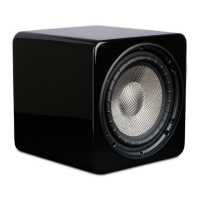

 To Next Page