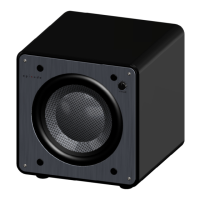
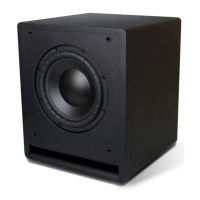
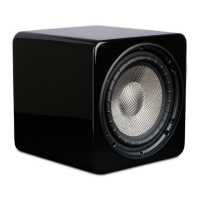
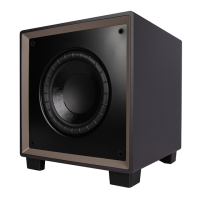
This document is an owner's manual for Episode Triple 8 and 10 in. Powered Subwoofers, specifically models ES-SUB-TRP8-300-BLK and ES-SUB-TRP10-500-BLK.
Function Description
Episode powered subwoofers are designed for bass reinforcement in various audio systems, including home theater and music applications. They incorporate advanced technology components to accurately reproduce low frequencies in both music and movies. The subwoofers are engineered by SnapAV, indicating a focus on quality and performance.
Important Technical Specifications
ES-SUB-TRP8-300
- Driver: (1) 8" Woven Fiberglass, (2) 8" Passive Radiators
- Amplifier: 300 watts RMS @ 0.2% THD
- Signal to Noise Ratio: 90 dB A-weighted
- Input Power: 100-120V/220-240V, ~50/60Hz, 3.15A
- Frequency Response: 30 Hz to 200 Hz
- Dimensions (H x W x D): 11.81 in. (300 mm) x 12.8 in. (325 mm) x 12.8 in. (325 mm)
- Weight: 14.5 lbs
ES-SUB-TRP10-500
- Driver: (1) 10" Woven Fiberglass, (2) 10" Passive Radiators
- Amplifier: 500 watts RMS @ 0.2% THD
- Signal to Noise Ratio: 90 dB A-weighted
- Input Power: 100-120V/220-240V, ~50/60Hz, 5A
- Frequency Response: 30 Hz to 180 Hz
- Dimensions (H x W x D): 13.7 in. (347 mm) x 14.9 in. (379 mm) x 14.75 in. (374.5 mm)
- Weight: 21.4 lbs
General Features for both models:
- World-Class BASH® Hybrid Amplifier Technology: Maximizes performance while generating minimal heat. In standby mode, the subwoofer consumes less than 0.5 watts, making it an energy-efficient solution.
- High-Gloss Cabinet: Features an attractive, furniture-quality cabinet designed for rigidity and sound clarity.
- Tuned System Performance: Offers rear-mounted, low-pass crossover adjustment and a switchable phase control (0 or 180 degrees) for optimal system integration and a seamless blend with other audio components.
- Signal-Sensing for Automatic Power Control: Provides three power mode options: 'On', 'Off', and 'Auto'. In 'Auto' mode, the subwoofer automatically enters a power-saving standby mode until an input signal is detected, powering on when a minimal signal is present on the RCA jacks and off after approximately 15 minutes of no signal.
- Gold-Plated Inputs: Includes stereo RCA line-level inputs for two-channel applications. For home theater, the right RCA unbalanced input also functions as an LFE (Low Frequency Effects) input for direct connection from a receiver or processor. An XLR balanced input is provided for clean, accurate audio from receivers or processors with balanced LFE outputs. Additionally, gold-plated, five-way binding-post inputs and outputs are available for speaker-level connections, offering versatility in connectivity.
- 12V DC Trigger: Both TRP8 and TRP10 models are equipped with a 12V trigger input. This feature allows the amplifier to turn on when a 12V signal is received and turn off when the signal is absent, reducing power consumption when not in use. This can be connected to a 12V trigger output from an AV receiver using a 3.5mm (1/8") mono cable. If a receiver lacks a 12V trigger output, a 12V power supply plugged into a switched outlet on the receiver can provide the same functionality. The trigger input uses a standard 3.5mm (1/8") jack, with the Tip for 12V DC and the Sleeve for GND.
Usage Features
Subwoofer Controls (ES-SUB-TRP8-300):
- VOLUME: Controls the overall output level.
- CROSSOVER: Sets the low-pass crossover frequency from 40 Hz to 200 Hz (LFE).
- PHASE: Selects phase response from 0 to 180°.
- TRIGGER MODE: Sets power mode to Always On, Trigger (12V input), or Audio Sense.
Subwoofer Controls (ES-SUB-TRP10-500):
- VOLUME: Controls the overall output level.
- CROSSOVER: Sets the low-pass crossover frequency from 40 Hz to 120 Hz.
- CROSSOVER MODE: Sets the crossover mode from variable to LFE for home theater applications. When LFE is selected, the crossover is set to 120 Hz.
- PHASE: Selects phase response from 0 to 180°.
- TRIGGER MODE: Sets power mode to Always On, Trigger (12V input), or Audio Sense.
Placement:
Subwoofer placement significantly impacts performance. The strongest output often occurs when placed in a corner on the same wall as the front channel speakers (boundary effect). However, this can sometimes lead to "boomy" or muddy bass. Experimentation is encouraged. Due to the Triple Woofer design, it is recommended to place the subwoofer at a 45° angle at least 12" from the corner. The Episode Wireless Subwoofer Transmission Kit can be used for ultimate placement flexibility.
Getting Connected:
- Low-Level Inputs: Use high-quality RCA cables with low impedance, shielding, and high-quality connectors for line-level connections. The right RCA unbalanced input can also serve as an LFE input. An XLR balanced input is available for balanced LFE outputs.
- High-Level Inputs: Use two-conductor loudspeaker wire for high-level connections to the subwoofer and any satellite loudspeakers.
- Important Note: Do not connect wiring to both sets of inputs (low-level and high-level) simultaneously.
Fine Tuning:
- Ensure the subwoofer is plugged in.
- Set initial controls: VOLUME knob to 50% (12 o'clock), CROSSOVER knob to 120 Hz (5 o'clock), and PHASE switch to 0°. For initial setup, the MODE switch can be set to 'ON'; switch to 'AUTO' after calibration for power-saving.
- Play music or a movie scene at an average volume and adjust the VOLUME control as desired.
- Adjust the CROSSOVER control towards lower frequencies for deeper bass, experimenting to find the best sound. For LFE input, set the subwoofer crossover to LFE and make adjustments in the preamplifier or receiver.
- Experiment with the PHASE switch to optimize bass loudness or depth based on subwoofer placement.
Maintenance Features
Installing and Removing the Grills:
To remove grills, gently pull the tabs on the outer edge of the grill frame. To install, start in one top corner and gently press the grill frame around the front baffle, pushing it into the three recessed holes.
Cleaning:
Use a soft cloth or paper towel to clean the cabinet. The grill is best cleaned by brushing it off with a lint-free cloth.
Troubleshooting:
- No Sound:
- Verify audio from the source.
- Ensure A/V receivers are on and connected.
- Check all cable connections for good contact.
- Ensure subwoofer volume is turned up.
- Temporarily set the MODE switch to 'ON' to disable signal-sensing power mode for troubleshooting.
- If problems persist, contact Episode Customer Service at 1.866.838.5052.
Warranty:
Episode Subwoofers come with a 10/2-Year Limited Warranty:
- Amplifier: 2-Year Warranty.
- Woofer and Box: 10-Year Warranty.
This warranty covers parts and labor for defects in material or workmanship under normal use. It does not cover products that have been abused, modified, or disassembled. Products requiring warranty repair must be returned to SnapAV or a designated service center with prior notification and an assigned Return Authorization (RA) number.
- Phone: (866) 838-5052
- Email: Techsupport@snapav.com

 Need help?

 To Next Page
 General