6
How to install or replace the microSD Card on the epoc NXS Host
Note: epoc NXS Host software and operating system may be upgraded using a microSD card. Refer
to the epoc System Manual with epoc NXS Host for details.
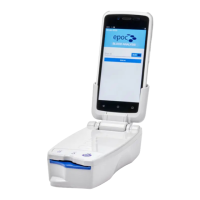
The microSD Card slot is located on the side of the epoc NXS Host.
How to reset the epocNXS Host
If the epoc NXS Host stops functioning or stops responding, press and hold the Power button
for at least 10 seconds; the device will then restart.
Never perform a reset during a test. This ends the test immediately.
Power Button
MicroSD Slot
MicroSD Card Tray
• Open the microSD Card slot on the side of the Host.
• Gently insert an SD Card extraction tool (or a paper clip) into
the small hole next to the microSD Card tray. The microSD Card
tray will pop out.
• If there is a microSD Card in the tray, remove it.
• Hold the Host device horizontally. Carefully place a new microSD Card into the tray
and slide it back into the slot.
• Close the slot.


 To Next Page
 Loading...