Barcode scanner
Scan Button
Touchscreen
MicroSD Slot
Power
Button
Authorized Representative:
Emergo Europe
Prinsessegracht 20, 2514 AP
The Hague, Netherlands
Manufactured by:
Epocal Inc.
2060 Walkley Rd.
Ottawa, ON K1G 3P5 Canada
Tel.: +1-613-738-6192
Fax: +1-613-738-6195
epoc Blood Analysis System
epoc NXS Host Quick Start Guide
This quick start guide provides first time setup instructions and other useful instructions
for the epoc® NXS Host (Android™-based mobile computing device, PD470SH-B).
For complete user instructions, please refer to the epoc System Manual with epoc NXS Host,
available at siemens.com/document-library.
epoc NXS Host Components
51015951 Rev.: 02 2021-02
Rev.: 02
siemens.com/eifu
Scan Button
Battery Indicator
Volume
Button
Function Key
(not used)

 Need help?
 General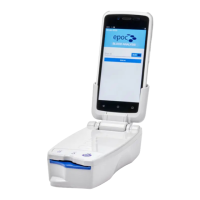

 To Next Page