CHECK LAYER AND MODE
Hold Fn+Spacebar, the indicators of Z/X/C and 1/2/3/4/5 light up to show at which
layer and which mode the keyboard is; for example, if the keys of X and 3 light up
when holding Fn+Spacebar, it means that the keyboard is in layer 2 and under the
wireless mode and connected to BT3 device.
SPECS
MODEL:
KEYS AMOUNT:
CASE MATERIAL:
STABILIZER TYPE:
PCB TYPE:
PLATE MATERIAL:
BATTERY CAPACITY:
CONNECTIVITY:
ANTI-GHOST KEY:
COMPATIBILITY:
DIMENSION:
WEIGHT:
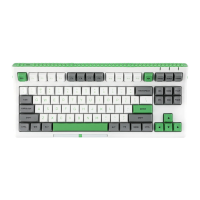
Epomaker Brick 87
88 Keys
ABS Plastic
Plate-mounted
3/5-pin Hotswap PCB
Steel
3000mAh
Type-C Wired, 2.4 & Bluetooth Wireless
NKRO in all modes
WINDOWS/MAC
317 x 150 x 50 mm
Around 0.9kg


 To Next Page