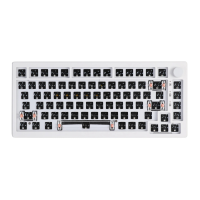
The Epomaker NiZ Plum 66/68 Extended Manual provides comprehensive guidance for users of the Epomaker NiZ Plum 66/68 keyboard, detailing its functions, usage features, and maintenance aspects. This manual is designed to help users configure and optimize their keyboard experience, whether they are using the wired or Bluetooth version.
Function Description
The Epomaker NiZ Plum 66/68 is a versatile keyboard offering both wired and Bluetooth connectivity options. It features electro-capacitive switches, which are known for their smooth and quiet operation, enhanced by pre-installed silencing rings and self-lubricating POM sliders. The keyboard is highly customizable, supporting reprogrammable layouts and macro recording, allowing users to tailor key functions to their specific needs. For RGB versions, programmable RGB backlighting adds a personalized aesthetic touch.
The keyboard operates in two primary modes: Office mode and Custom mode. Office mode is the standard, non-programmable setting, suitable for general use. Custom mode, however, unlocks the full potential of the keyboard, enabling users to create and save various configurations. This distinction allows for a flexible user experience, from straightforward plug-and-play to advanced customization.
Bluetooth functionality is a key feature, allowing the keyboard to connect wirelessly to multiple devices. The manual outlines the process for pairing with up to three different Bluetooth profiles, making it easy to switch between devices. Bluetooth light indicators provide visual feedback on the keyboard's charging status and battery level.
Usage Features
The Epomaker NiZ Plum 66/68 offers a rich set of usage features, primarily through its extensive shortcut keys and software-based configuration.
-
Shortcut Keys: The keyboard includes numerous FN (Function) key combinations for quick adjustments.
- Backlight Shortcuts: Users can control RGB backlighting with FN combinations. This includes cycling through different background RGB options (FN + J), selecting LED effect colors (FN + K), choosing LED effect modes like wave or static (FN + L), and exiting LED effects (FN + ;:). Brightness can be increased or decreased with FN + ↑ and FN + ↓, respectively, offering six levels of adjustment. The speed of light effects can also be controlled with FN + ← and FN + →, providing five levels.
- Function Table Shortcuts:
- Trigger Point Adjustment (FN + `): Allows users to adjust the key trigger point to high, middle, or low sensitivity.
- Caps/Ctrl Exchange (FN + L-Ctrl): Pressing for 3 seconds swaps the functions of the Left Ctrl and Caps Lock keys.
- Win Lock (FN + Win): Pressing for 3 seconds locks or unlocks the Windows key.
- Win/Mac Exchange (FN + L-Alt): Pressing for 3 seconds switches between Windows and macOS layouts, remapping keys like Left Win and Left Alt, and Right Alt, FN, Right Ctrl to their macOS equivalents.
- Mouse Cursor Speed (FN + Q): Adjusts the time required for the mouse cursor to move a cell, with different settings for USB (8/6/4/2ms) and Bluetooth (12/9/7/5ms).
- Mouse Cursor Pixel (FN + E): Adjusts the number of pixels the mouse cursor moves per cell (2/3/4/5 points).
- Key Hitting Speed (FN + [{): Adjusts the speed of key hitting (x1, x2, x4, x8), with x1 restoring normal speed in USB/Bluetooth mode.
- Keystroke Response Delay (FN + ]}): Adjusts the keystroke response delay (500, 300, 100ms).
- Bluetooth Pairing (FN + U, I, O): Long pressing for 3 seconds initiates pairing for BD1, BD2, or BD3 profiles. Short pressing reconnects to a previously paired device.
- Bluetooth Start/Close (FN + P): Toggles Bluetooth on or off.
- Mode Swap (FN + -): Switches between Office mode and Program mode.
- Game Mode (FN + G): Activates Game mode for faster keyboard speed and higher power consumption, ideal for wireless gaming.
- ECO Mode (FN + B): Activates Office energy-saving mode, reducing keyboard speed and power consumption.
- Battery Indicator (FN + Y): Displays the battery level in Bluetooth mode (without USB) through four indicator lights.
- Key Exchange (FN + ): Swaps the functions of the "|" and "backspace" keys.
-
Software Configuration: The keyboard comes with dedicated software (KBD84 Software for Windows 10, and an upgrade tool for macOS) for advanced customization.
- Reading Configuration: Users must "Read All" from the keyboard to load its current mappings into the software before making changes.
- Lighting Configuration: The "LightSet" feature allows users to configure backlighting. "Multikey" enables different keys to light up in various colors, while "Set All" applies a single color/effect to all keycaps. Selected keys for multi-color effects are highlighted in green.
- Remapping Single Keys: Users can remap any single key by selecting it in the software, choosing "Single," pressing the desired key, and saving with "OK" and "WriteKeys."
- Remapping Macros: The software allows for recording and remapping complex macros. Users can create new macros, record a sequence of key presses (including delays), and then individually edit each part of the macro for precise timing.
- Remapping Mouse Key Presses: Specific keys can be assigned mouse functions like moving the cursor (left, right, up, down), clicks (left, right, middle, double), and wheel scrolls (up, down). Options for unit time, unit pixel, and first delay allow for fine-tuning mouse movement.
- Simulate Key Presses: This feature allows users to configure keys to simulate rapid key presses, ending when the key bounces.
-
Bluetooth Setup: For Bluetooth versions, a USB wireless adapter is provided for automatic pairing. The manual recommends a 2A charger for optimal charging speed.
Maintenance Features
The manual also covers essential maintenance and troubleshooting aspects to ensure the longevity and optimal performance of the keyboard.
- Firmware Flashing: To update the keyboard with the newest features and improvements, users can download firmware files from the Epomaker website. The process involves using the software to "Get Version," opening the downloaded firmware file, and clicking "Update." It is crucial not to disconnect the keyboard during this process.
- Factory Reset: A factory reset can be performed by holding down four specific keys (Esc, Left Ctrl, →, Delete) for 5 seconds. This can resolve various software-related issues by reverting the keyboard to its default settings.
- Interface Settings (USB/PS/2): The keyboard can be configured for USB or PS/2 interface. Holding "FN + Backspace" for 5 seconds will cause the indicator to flash once for USB or twice for auto-identification (USB or PS/2). The default is USB.
- Bluetooth Sleep and Power Down Settings: To manage power consumption, users can adjust Bluetooth sleep and power down times. Holding "FN + T" for 5 seconds allows setting the power down time to 1-3 hours, with 1 hour as the default.
- Clear Key Counter: The key counter, which tracks key presses, can be cleared by holding "FN + Delete" for 5 seconds.
- Turn Off Battery Indicator: The battery indicator light below the "P" key can be toggled on or off by holding "FN + ~."
- MacOS F1-F12 Issues: For macOS users experiencing issues with F1-F12 keys, the manual suggests a fix through System Preferences, ensuring these keys function as standard function keys.
- Warranty Information: Epomaker provides a 1-year warranty covering factory defects for products purchased from their website. The warranty does not cover damage from normal wear and tear or modifications to internal components, reassembly, or battery replacement. Warranty claims are only valid for items bought directly from Epomaker stores.
- Support: Users are encouraged to contact support@epomaker.com for any corrections, adjustments, updates to the manual, or general issues with their keyboard.
Overall, the Epomaker NiZ Plum 66/68 Extended Manual is a comprehensive guide that empowers users to fully utilize and maintain their keyboard, from basic operation to advanced customization and troubleshooting.

 Need help?
 General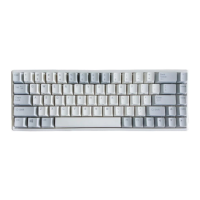

 To Next Page