EasyManua.ls Logo

Epomaker TH68 - Keyboard Shortcuts and Functions

Epomaker TH68
5 pages
Print Icon
To Next Page IconTo Next Page
To Previous Page IconTo Previous Page
Loading...
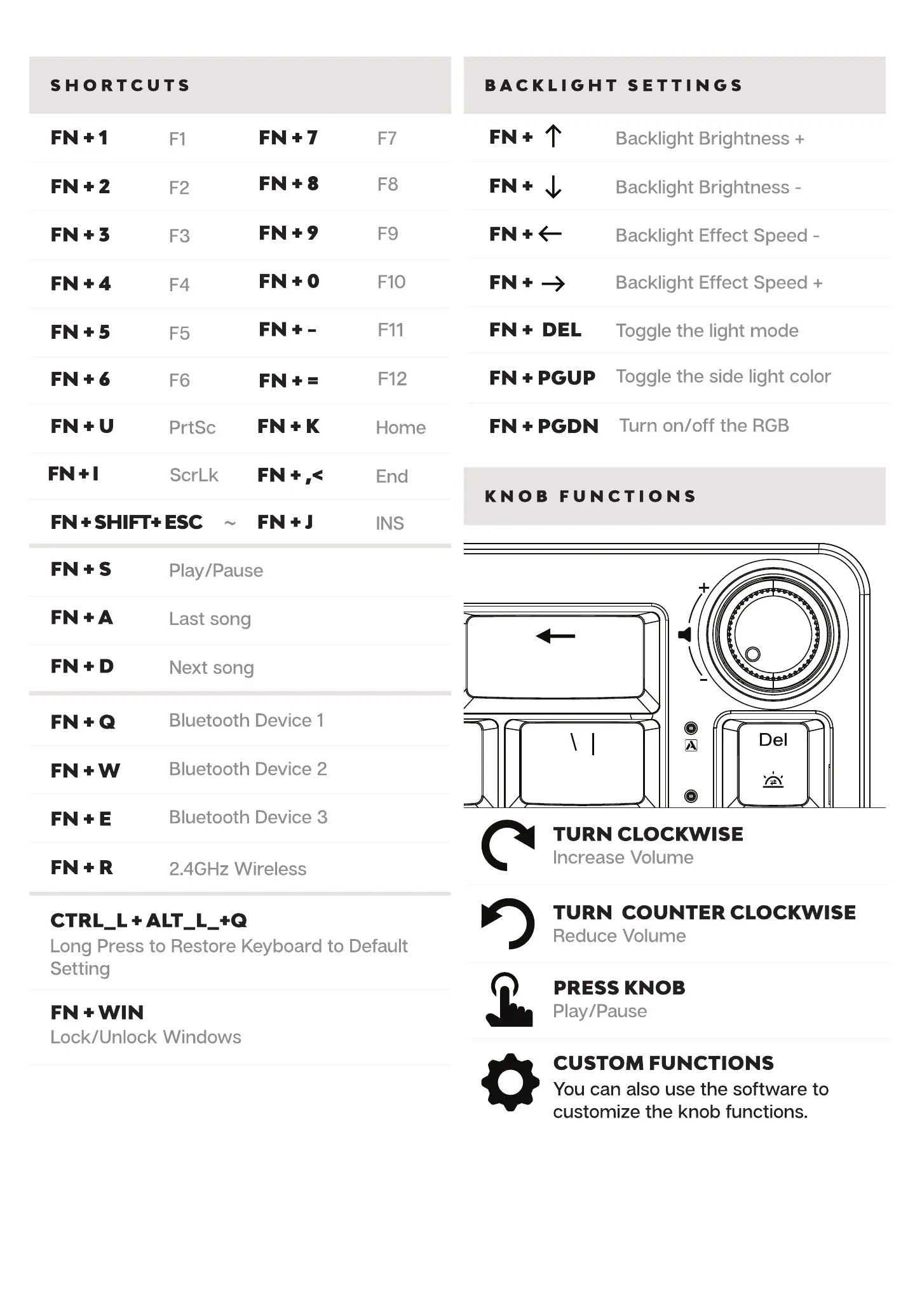
SHORTCUTS BACKLIGHT SETTINGS
FN+2
FN+3
FN + 4
FN+5
FN+6
FN*I
Fl
prtSc
ScrLk
FN+8
FN +
FN + =
FN+K
FN +
FIO
Fl I
Home
End
INS
FN. DEL
FN PGUP
FN + PGDN
Backlight Brightness +
Backlight Brightness -
Backlight Effect Speed -
Backlight Effect Speed +
Toggle the light mode
Toggle the side light color
Turn on/off the RGB
KNOB FUNCTIONS
FN + SHIFT* ESC
FN+S
FN+D
FN+Q
FN+E
FN+R
CTRL_L +
Play/Pause
Last song
Next song
Bluetooth Device 1
Bluetooth Device 2
Bluetooth Device 3
2.4GHz Wireless
Long Press to Restore Keyboard to Default
Setting
FN + WIN
Lock/Unlock Windows
C)
o
Del
TURN CLOCKWISE
Increase Volume
TURN COUNTER CLOCKWISE
Reduce Volume
PRESS KNOB
Play/Pause
CUSTOM FUNCTIONS
You can also use the software to
customize the knob functions.

Related product manuals