EN
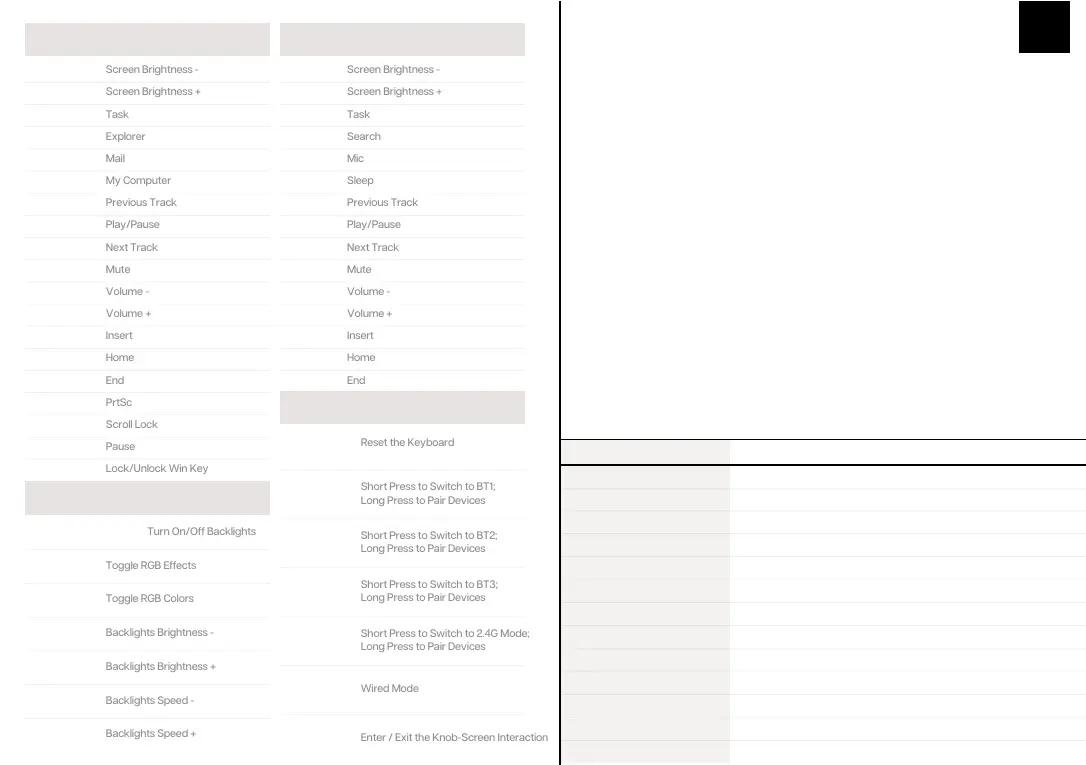
WINDOWS SHORTCUTS
FN + F1
FN + F2
FN + F3
FN + F4
FN + F5
FN + F6
FN + F7
FN + F8
FN + F9
FN + F10
FN + F11
FN + F12
F1
F2
F3
F4
F5
F6
F7
F8
FN+ESC
(HOLD 3S)
FN + 1
Short Press to Switch to BT1;
Long Press to Pair Devices
FN + 2
Short Press to Switch to BT2;
Long Press to Pair Devices
FN + 3
Short Press to Switch to BT3;
Long Press to Pair Devices
FN + 4
Short Press to Switch to 2.4G Mode;
Long Press to Pair Devices
FN + 5
F9
F10
F11
F12
FN + J
FN + K
FN + L
FN + U
FN + I
FN + O
FN + J
FN + K
FN + L
FN + WIN
FN + BACKSPACE
FN + \|
FN + P
FN + ↓
FN + ↑
FN + ←
FN + →
MACOS SHORTCUTS
LIGHT EFFECTS
FUNCTION KEY COMBINATIONS
SPECS
MODEL:
Toggle the switch on the top-right corner to make sure that the
keyboard is under the wireless mode:
1. Hold Fn+1/2/3 for 3-5 seconds till the LED screen displays pairing signals, the keyboard is ready
to pair.
2. Turn on your Bluetooth device and find “TH80 X BT5.0” or “TH80 X BT3.0”, then connect. When
the keyboard is connected to the Bluetooth device, the LED screen displays that the connection is
done.
3. Press Fn+1/2/3 to toggle between the Bluetooth devices 1/2/3.
PAIRING BLUETOOTH
Toggle the switch on the top-right corner to make sure that the
keyboard is under the wireless mode:
Hold Fn+4 for for 3-5 seconds till the LED screen displays pairing signals, the
keyboard is ready to pair.
Insert the 2.4G dongle to your device, the LED screen displays that the connection is
done.
PAIRING WIRELESS 2.4GHZ
Toggle the switch to the wired mode, press Fn+5 till the the LED screen displays
current status of the keyboard, and the keyboard enters to the wired mode
successfully.
WIRED MODE
FN + KNOB
Enter / Exit the Knob-Screen Interaction
Step 1. Press Fn+Knob to set the main display on the screen. Rotate the knob among the static images,
gif, or the keyboard status.
Step 2. Press the knob to confirm the main display and goes to the menu options.
*Step 3. Rotate the knob to choose the menu among “Photo/gif”, “Lights”, “RGB Color”, “Brightness”,
“Speed”, “OS Mode”, “Layer”, press the knob to enter the menu, rotate the knob to choose among the
options, press the knob again to confirm and go back to the menu.
Step 4. Press Fn+knob again to exit the interaction. Rotate and press the knob resumes to volume &
mute control.
*Note: if the knob is not pressed or rotated in 5 seconds in Step 3, the display will go back to the main
display. Press the knob again to continue Step 3.
INTERACTION OF THE KNOB AND THE LED SCREEN
KEYSAMOUNT:
SCREEN:
STRUCTURE:
STABILIZERTYPE:
PCBTYPE:
BATTERYCAPACITY:
CONNECTIVITY:
ANTI-GHOSTKEY:
POLLING RATE:
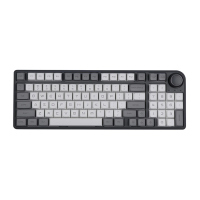
EPOMAKER TH80 X
79Keys
LED
Gasket-like mount
Plate-mounted
3/5-pin HotswapPCB
4000+4000mAh
Type-CWired, 2.4&BluetoothWireless
NKROin all modes
1000hz inType-C Wired & 2.4G modes
COMPATIBILITY:
DIMENSION:
WEIGHT:
WINDOWS/MAC
325x135 x30mm
Around0.9kg



 To Next Page