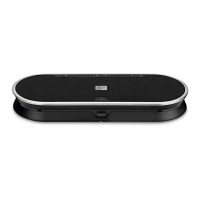
EXPAND 80 Bluetooth Speakerphone
Contents1
Contents
The EXPAND 80 speakerphone | EXPAND 80 Mic expansion microphone ..................................................................... 2
Package contents and further information ..............................................................................................................................................3
Package contents EXPAND 80 speakerphone .................................................................................................................................................................................. 3
Package contents EXPAND 80 Mic ..............................................................................................................................................................................................................4
Safety instructions, software and accessories ....................................................................................................................................................................................4
Product overview ........................................................................................................................................................................................................5
Overview of the speakerphone ....................................................................................................................................................................................................................... 5
Overview of the dongle ..........................................................................................................................................................................................................................................7
Overview of expansion microphone .............................................................................................................................................................................................................8
Overview of the icons ...............................................................................................................................................................................................................................................8
Getting started .............................................................................................................................................................................................................9
Positioning the speakerphone and the expansion microphone(s) ...................................................................................................................................9
Connecting the expansion microphone(s) ..........................................................................................................................................................................................10
Connecting the speakerphone to the mains power supply ...................................................................................................................................................11
Connection possibilities .......................................................................................................................................................................................................................................12
A: Connecting via USB cable ...........................................................................................................................................................................................................................12
B | C | D About pairing and using with wireless Bluetooth
®
devices ..............................................................................................................................13
B: Pairing the speakerphone and a mobile device via NFC™ ..............................................................................................................................................14
C: Pairing the speakerphone and a mobile device via Bluetooth
®
................................................................................................................................ 15
D: Connecting the Bluetooth
®
dongle to a computer and pairing the speakerphone ..................................................................................16
Installing EPOS software ...................................................................................................................................................................................................................................... 17
Changing Audio settings for the speakerphone – Microsoft
®
Windows .....................................................................................................................17
Using the speakerphone ....................................................................................................................................................................................18
Turning the speakerphone and the expansion microphone(s) on ...................................................................................................................................18
Connecting / disconnecting Bluetooth
®
devices ...........................................................................................................................................................................18
Turning the speakerphone and the expansion microphone(s) o .................................................................................................................................. 19
Adjusting the volume ............................................................................................................................................................................................................................................20
Muting the microphone(s) ................................................................................................................................................................................................................................ 20
Making calls using the speakerphone ...................................................................................................................................................... 21
Making a call ...................................................................................................................................................................................................................................................................21
Accepting/rejecting/ending a call................................................................................................................................................................................................................21
Redialing .......................................................................................................................................................................................................................................................................... 22
Using the voice assistant ...................................................................................................................................................................................................................................22
Managing multiple calls ....................................................................................................................................................................................................................................... 23
Merging calls – Conference ............................................................................................................................................................................................................................ 25
Listening to music using the speakerphone – media playback .............................................................................................26
Good to know ............................................................................................................................................................................................................. 27
Switching between Bluetooth
®
personal and shared mode .................................................................................................................................................27
Waking up from standby ...................................................................................................................................................................................................................................... 27
Enabling / disabling voice prompts .......................................................................................................................................................................................................... 28
Using an optional Kensington
®
lock ......................................................................................................................................................................................................... 28
Bluetooth
®
transmission range .....................................................................................................................................................................................................................29
Storing the dongle and the expansion microphone ...................................................................................................................................................................29
Maintaining and updating the products .................................................................................................................................................30
Cleaning the products ........................................................................................................................................................................................................................................ 30
Updating the rmware of the products ...................................................................................................................................................................................................31
If a problem occurs ... ............................................................................................................................................................................................ 33
Frequently asked questions ............................................................................................................................................................................................................................ 33
Clearing pairing list ................................................................................................................................................................................................................................................. 34
Restoring default settings .................................................................................................................................................................................................................................35
Specications .............................................................................................................................................................................................................36


 To Next Page