Installation
Page 3-3
Easy Installation Procedure
The following must be completed before powering on your new system:
3-1. CPU Installation
3-2. Jumper Settings
3-3. System Memory Configuration
3-4. Device Connectors
3-5. STR Function
3-6. CPU Overheating Protection
Section 3-1
CPU Installation
CPU Insertion: (use AMD Athlon
TM
as reference)
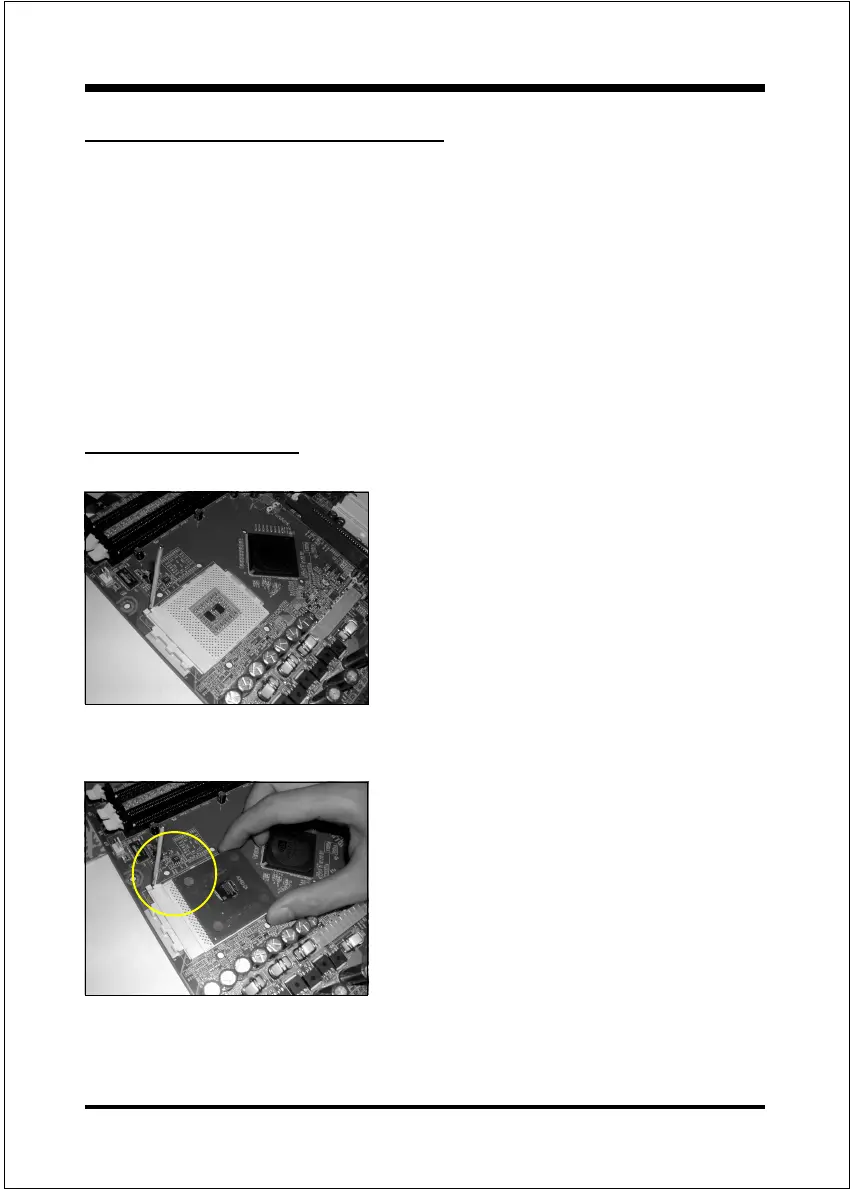
Step 1
Open the socket by raising the actuation
lever.
Figure 2
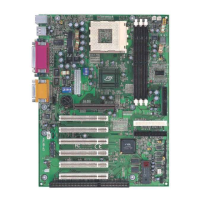
Step 2
Insert the processor.
Ensure proper pin 1 orientation by aligning
the FC-PGA corner marking with the
socket corner closest to the actuation arm
tip. The pin field is keyed to prevent mis-
oriented insertion.
Dont force processor into socket. If it does
not go in easily, check for mis-orientation
and debris.
Make sure the processor is fully inserted
into the socket on all sides.
Figure 3


 To Next Page