Drivers Installation
Page 5-2
nFnF
nFnF
nF
oror
oror
or
ce ce
ce ce
ce
AA
AA
A
udio Contrudio Contr
udio Contrudio Contr
udio Contr
ol Pol P
ol Pol P
ol P
anel User’anel User’
anel User’anel User’
anel User’
s Guides Guide
s Guides Guide
s Guide
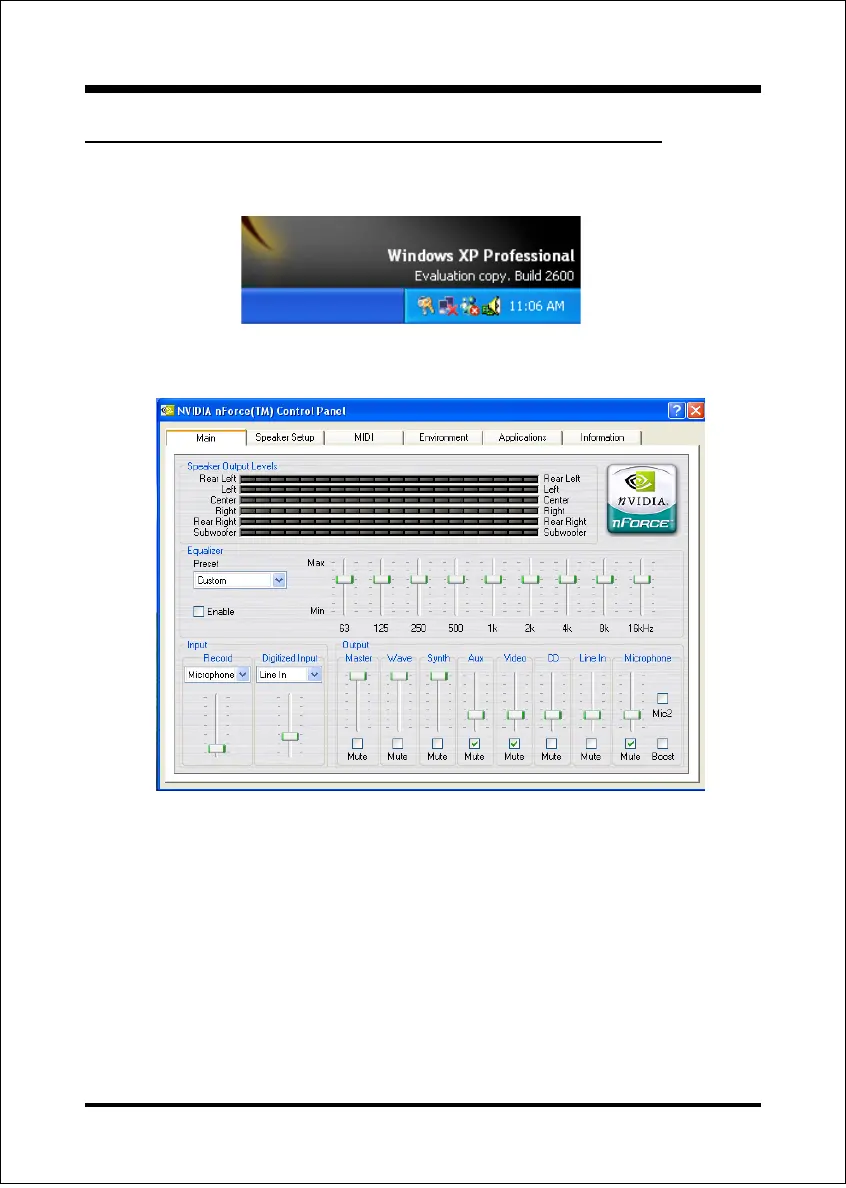
1. Right-click audio utility icon button in the bar display currently selected titles.
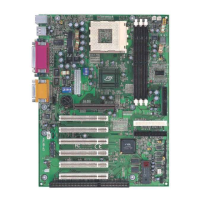
2. Main: The controls on this panel setup the Equalizer and Audio Mixer.
! Speaker Output Levels:
This control display a graphical view of the volume of the digital signal
! Equalizer:
This control provides ability to customize the response to the specified
digital audio frequencies.
! Input:
These controls select between the analog inputs on the audio device and
adjust the gain of the analog signal.
! Output:
These controls adjust relative volume levels of the sources being routed to
the speaker.


 To Next Page