2
Unpacking
1.
Remove the accessories and printer from the shipping carton.
2.
Set the printer on a flat, stable surface. Leave adequate room
to provide ventilation. Allow approximately 9 inches
(230 mm) above the printer to be able to fully extend the
paper trays and load paper.
3.
Take the packaging off the printer and the other items and
store for future use.
Note:
The printer weighs about 11 lb (5 kg) and should be lifted with
care.
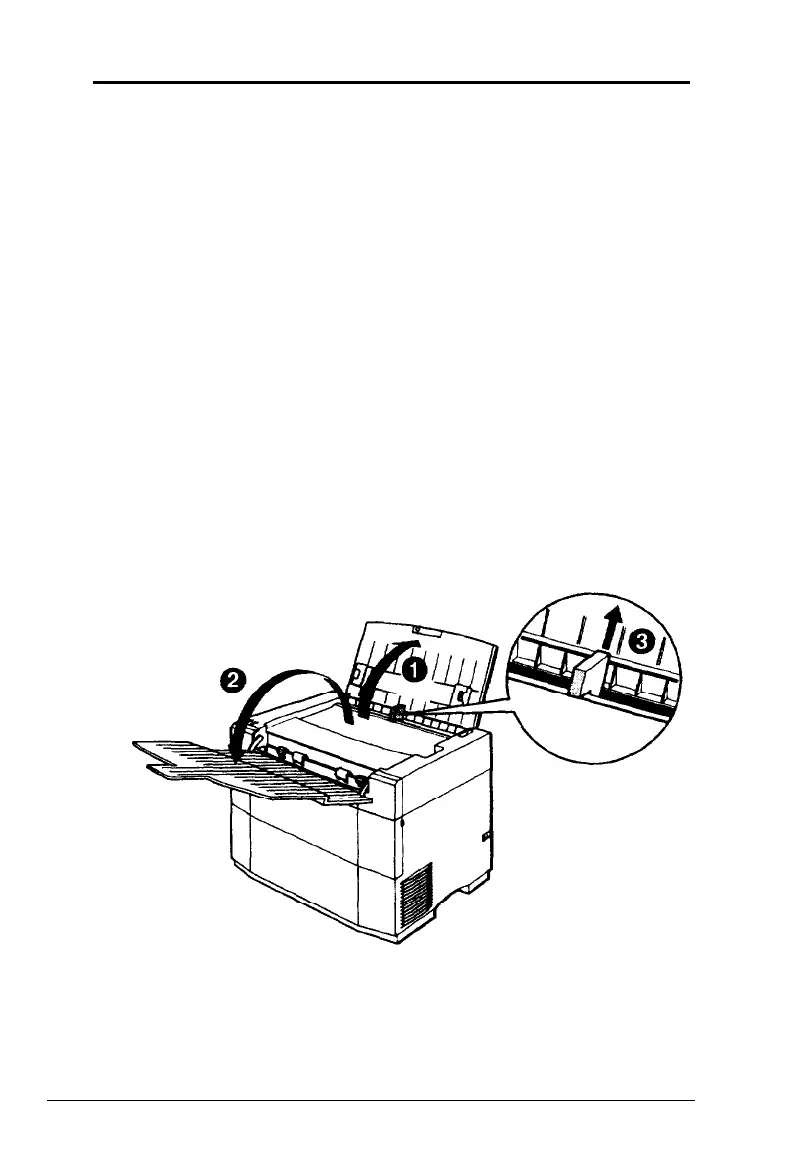
4. Open the paper and exit trays at the top of the printer and
remove the shipping spacer from the center of the feeder.
5.
Close the paper and exit trays.
2 Setup










 To Next Page