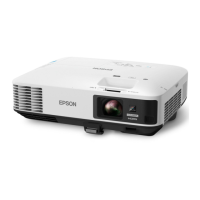
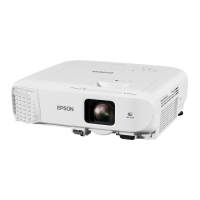
Epson 2250U Projector Instructions
Works with iPhone/iPad/Android Phone/Pad/Mac Computer/Windows Computer!
Cable Connection
(flip sheet over for Wireless)!
On Projector
1. Plug in Power Cord to Projector!
2. If your Device has a HDMI output, use an HDMI data cable to HDMI1 port"
on the projector."
- OR -
3. If your Device has a Lightning, USB-C, or Mini USB input used on phones or
pads, plug in Red-Ended Data Cable to HDMI1 on projector and other end to
your device using (1) built-in Mini USB cable end or (2) Lightning or (3) USB-C
removable adapters which can be plugged onto Mini USB cable end.!
4. Plug in White Power Block to A/C power and Red USB-A Cable "
into Power Block. (Ignore “Download App” QR Code for DGKDH340DR006HP8MV001)
5. Turn on your Device such as phone/pad/computer!
6. Open Shutter (A) on Projector!
7. Press “On/Off” button (B) on Projector!
8. Adjust Focus & Tele (C) & center image on screen!
9. Change Source on Remote or Projector (if necessary) to HDMI1 (or another
appropriate input option if you use your own cable such as RS-232 or RCA)!
On Your Device
1. Screen should be mirrored. Use your device to manipulate presentation!
"
To Stop
1. Unplug Data Cable!
2. On Projector or Remote, Click twice on “On/Off” button (B)!
3. Close lens Shutter (A)!
4. Unplug cables, let projector cool. Place projector, remote, & cables in bag.!



 To Previous Page