51
R4C477
short.bk Rev_C
A5 size TRBLE.FM
12/21/99 Pass 3
R
Proof Sign-off:
M.Otsuka, CRE Tsukada_______
N. Nomoto _______
_______
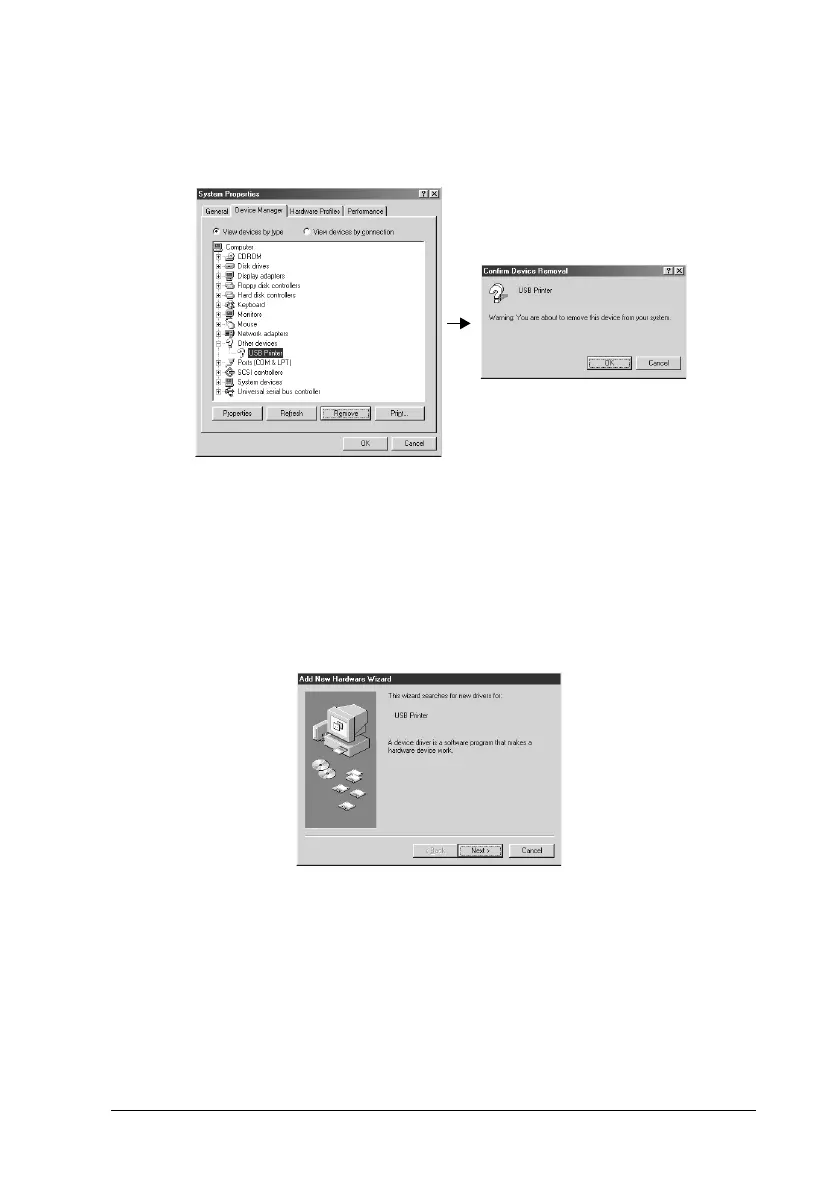
4. Under Other Devices, click
USB Printer
or
EPSON Stylus
COLOR 860
, then click
Remove
. Then click
OK
.
5. Unplug the USB cable from the printer, then plug it into the
printer again.
6. The following dialog box appears. Install the driver again,
following the instructions in the Setup Guide.



 To Next Page