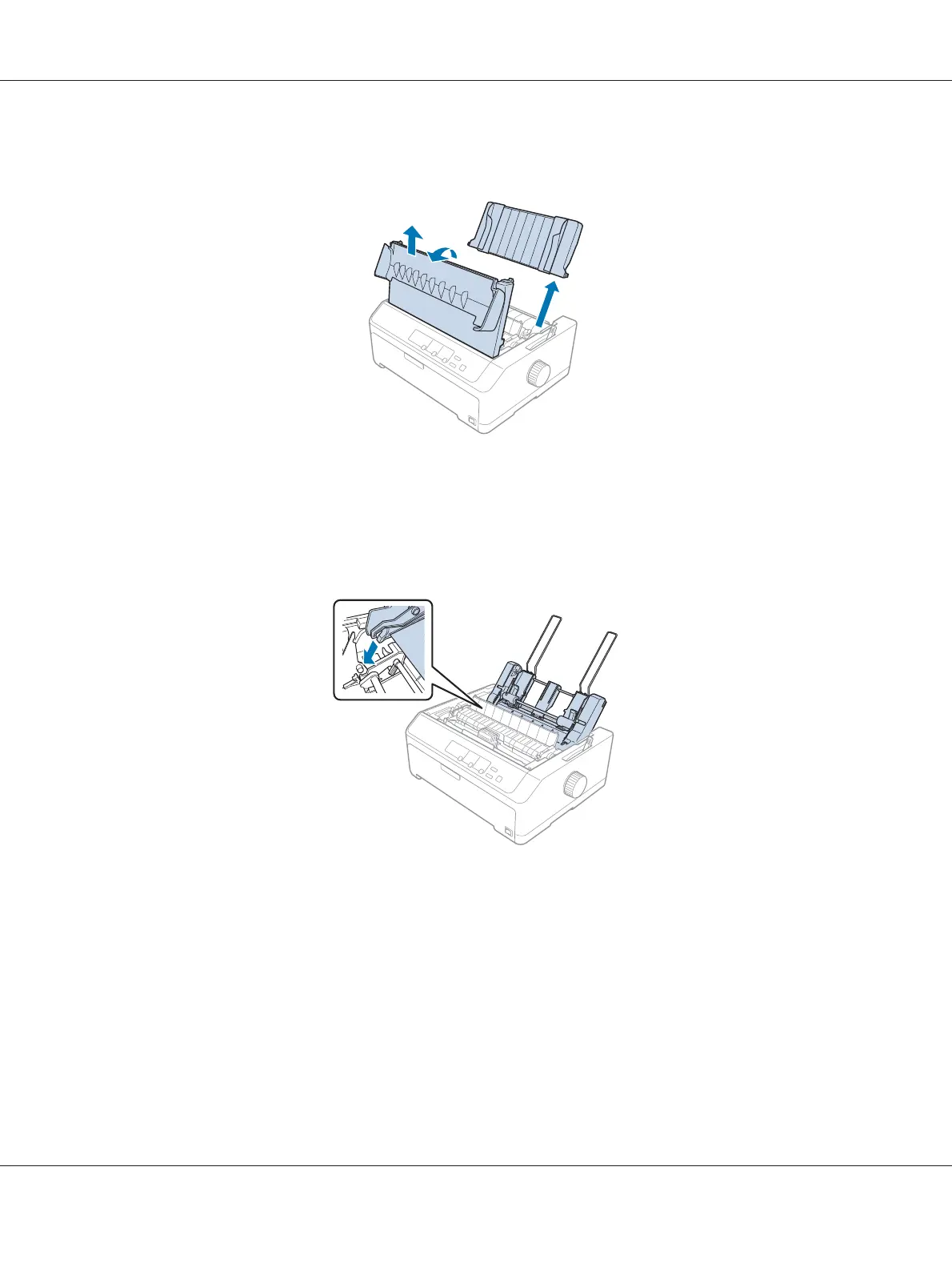
2. Remove the sheet guide by moving it along the path and lifting it at an angle from the printer. Lift
the printer cover by its back edge and then pull it straight up and off the printer.
3. Holding the cut-sheet feeder in both hands, press down on the latch levers and fit the notches over
the printer’s mounting posts, as shown below. Release the latch levers to lock the feeder in place. If
you are installing the high-capacity or double-bin cut-sheet feeder, see the following illustration.
single-bin cut-sheet feeder
LQ-590II/LQ-590IIN/LQ-2090II/LQ-2090IIN User’s Guide
Options and Consumables 126













 To Next Page