Home > Guide to the Scanner Parts
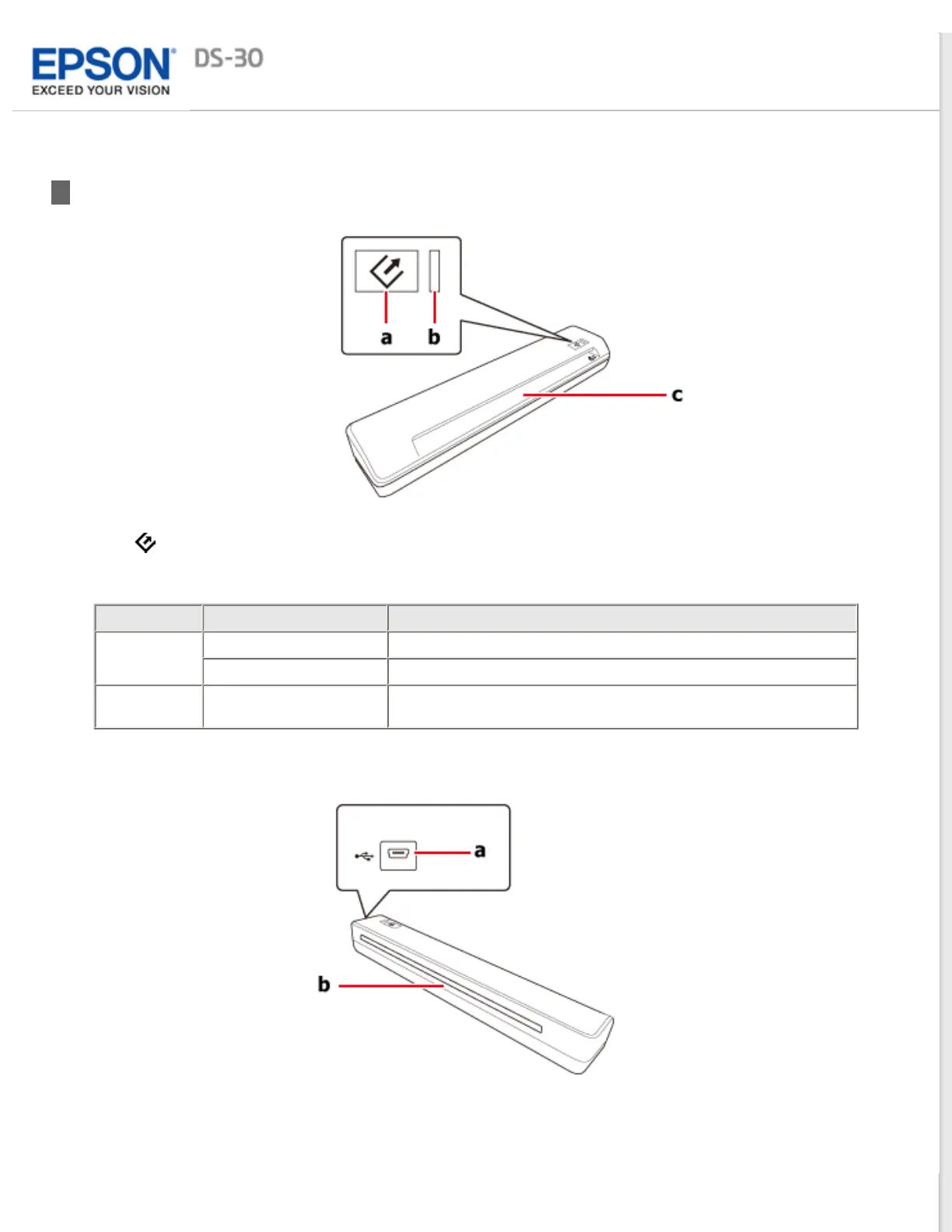
Scanner Parts
a.
button
b. Light
Color Indicator Status Meaning
Green On Ready to scan images.
Flashing Initializing or scanning.
(None) Off The scanner is off or the connected computer may be running in
a power-saving mode, such as sleep or standby.
c. Input slot
a. USB interface connector
b. Output slot



 To Next Page