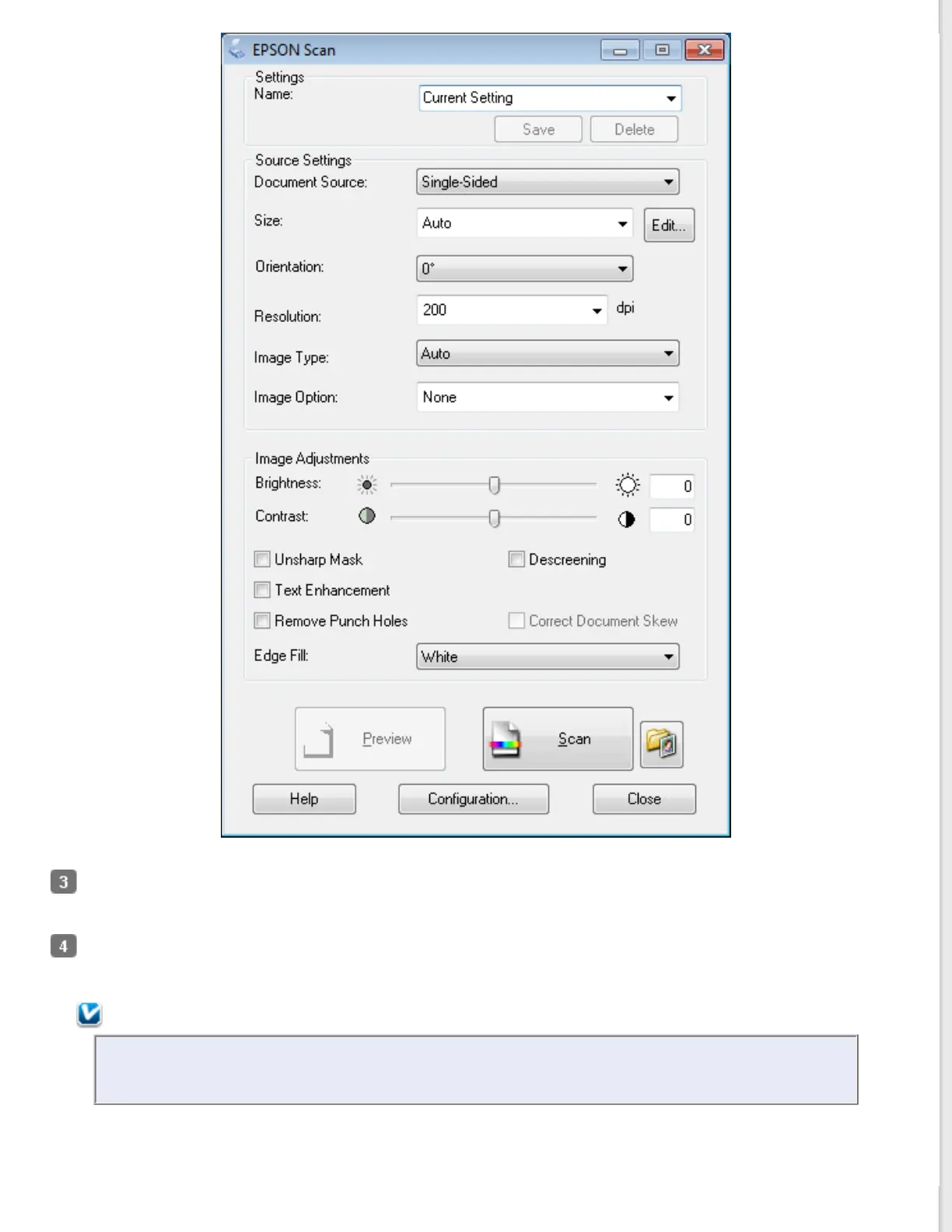
Adjust settings in the Source Settings section of the window as necessary. See Scanning a Document for more
information.
Click Preview to preview your image. The scanner loads your document, and EPSON Scan prescans it and displays
it in the Preview window. The scanner then ejects your document.
Note:
The Preview function is not available when you select Auto or Auto (Card/Business Card) as the Size
setting. If you selected one of these settings, skip to step 8.



 To Next Page