Home > How to Scan
Scanning to SharePoint or Cloud Service (for Windows)
You can upload scanned images to a SharePoint Server or Cloud Service.
Start Document Capture Pro and scan your document.
Scanning Using Document Capture Pro (for Windows) steps 1 to 5
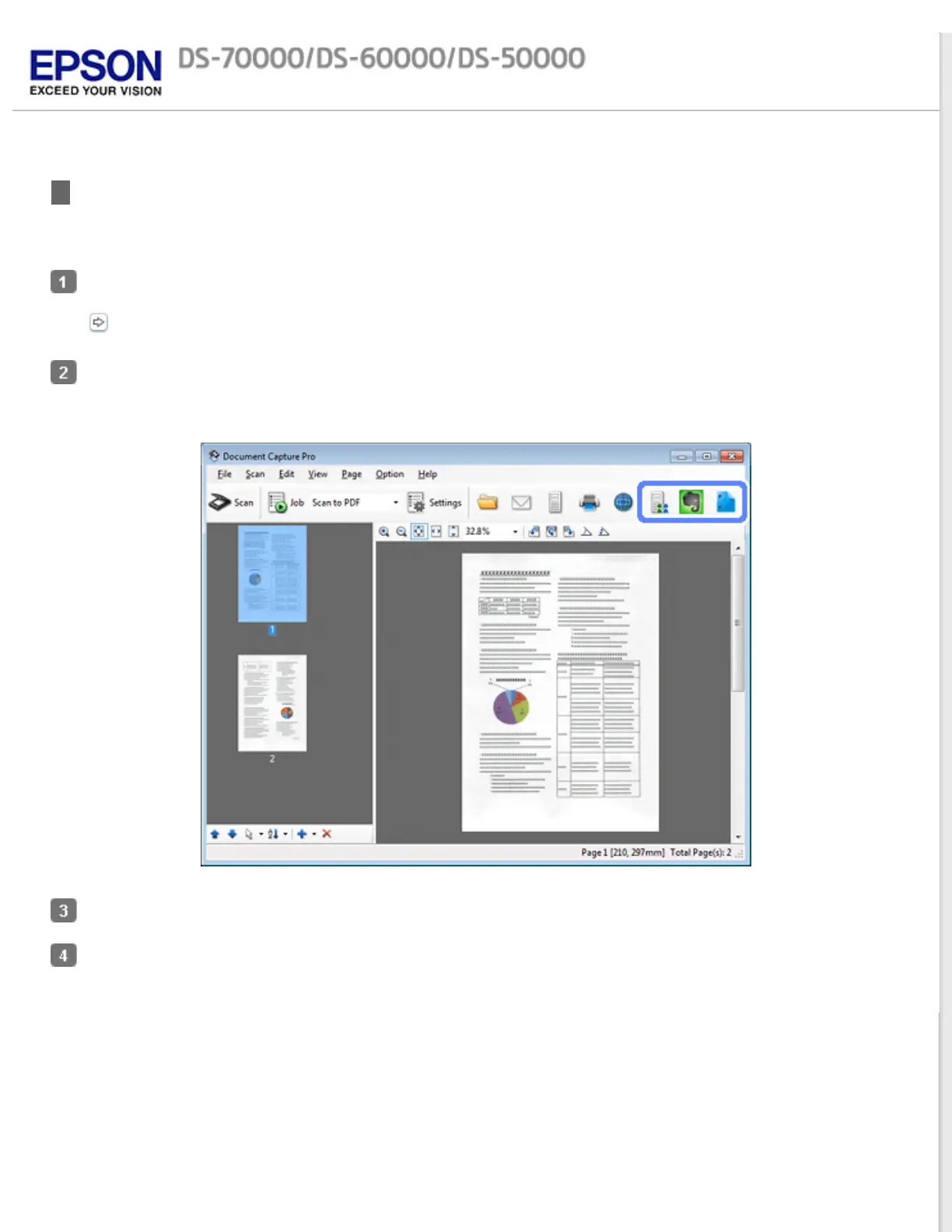
On the Main window of Document Capture Pro, click the destination icon.
See help for details on Document Capture Pro.
Make settings on the Save As window, and then click OK.
On the settings window, enter the server’s Address, User Name, and Password, and then click OK.
The image is uploaded to the target server.



 To Next Page