Home > Using the Network Interface Panel
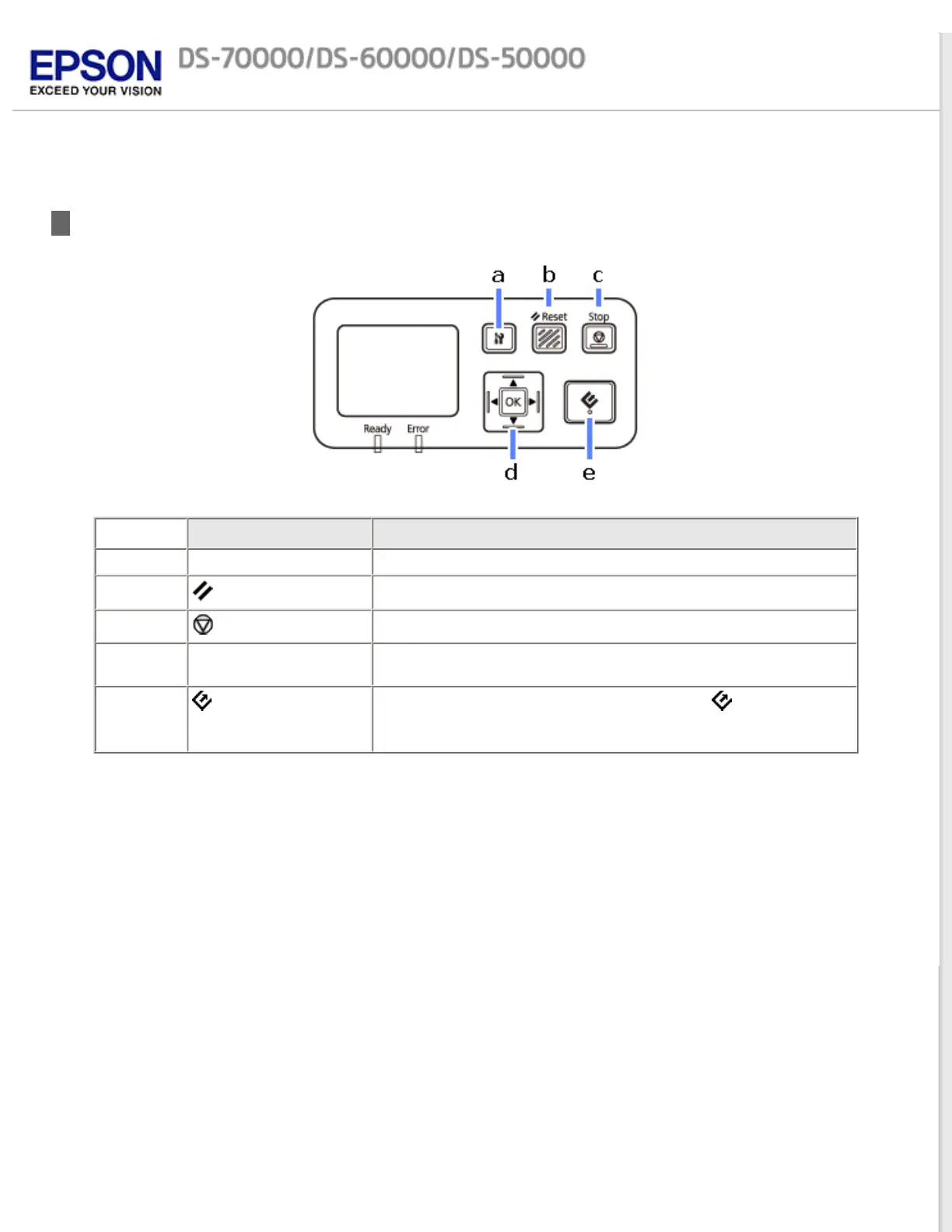
Panel parts
Button
Function
a Setting button Make product and network settings, or perform maintenance.
b
Reset button
Resets the panel to the initial screen.
c
Stop button
Cancels scanning.
d OK/Arrow button Use the arrow buttons to select an item, and then press OK to
confirm the selection.
e
start button Starts scanning. In a network environment, the button on the
scanner works the same way as clicking Scan in the Document
Capture Pro or Epson Scan window.



 To Next Page