Home > Maintenance
Replacing the Roller Assembly Kit
You need to replace the parts on the Roller Assembly Kit after scanning every 100,000 pages.
Removal part
Part number
Number of scanning
Roller Assembly Kit B12B813501 100,000
To replace the Roller Assembly Kit, follow the steps below.
Turn off the scanner.
Remove all paper from the input tray.
Unplug the power cord from the product.
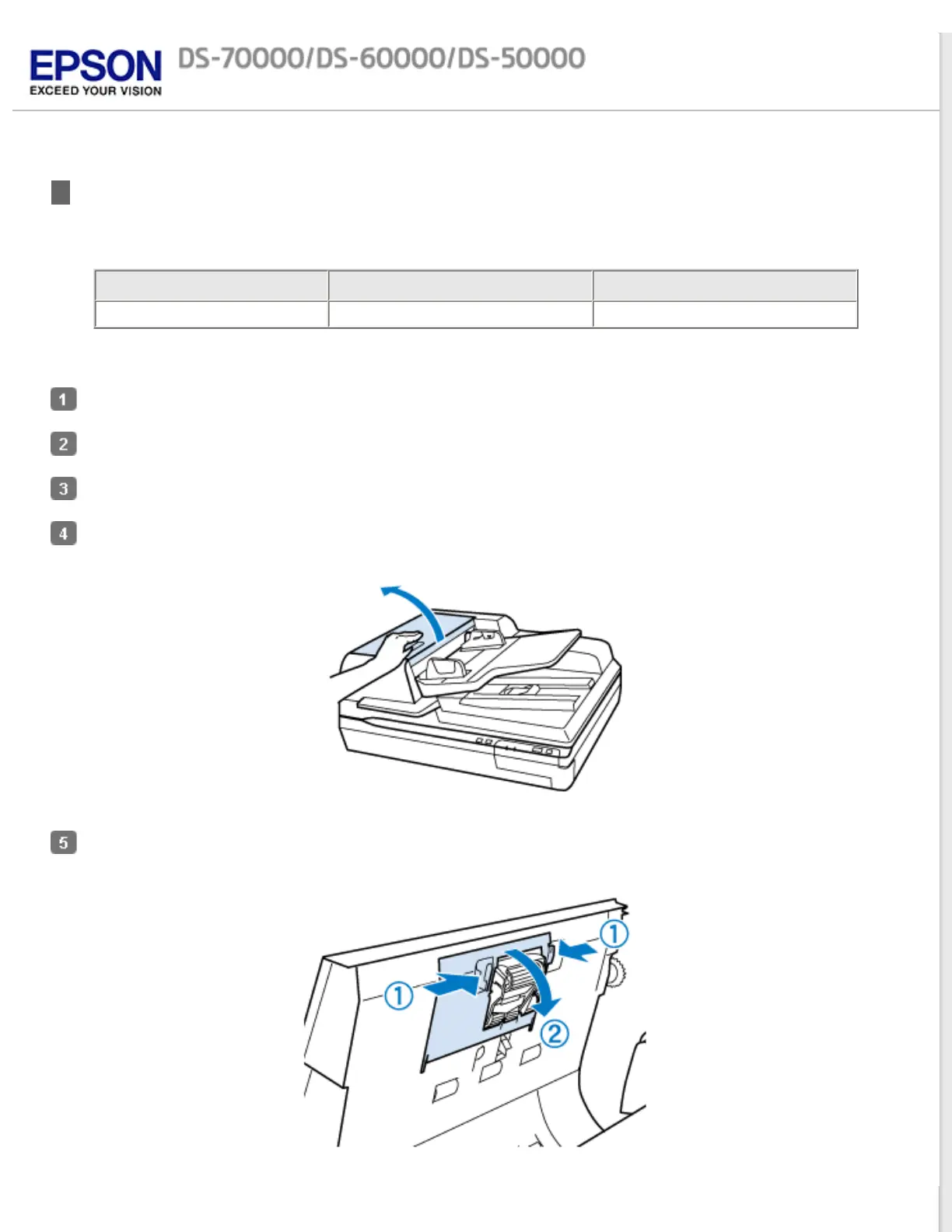
Open the Automatic Document Feeder (ADF) cover.
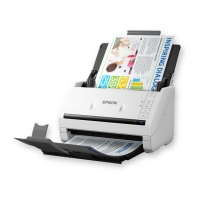
Press the hook on both sides of the pickup roller cover, then open the cover.



 To Next Page