8
9
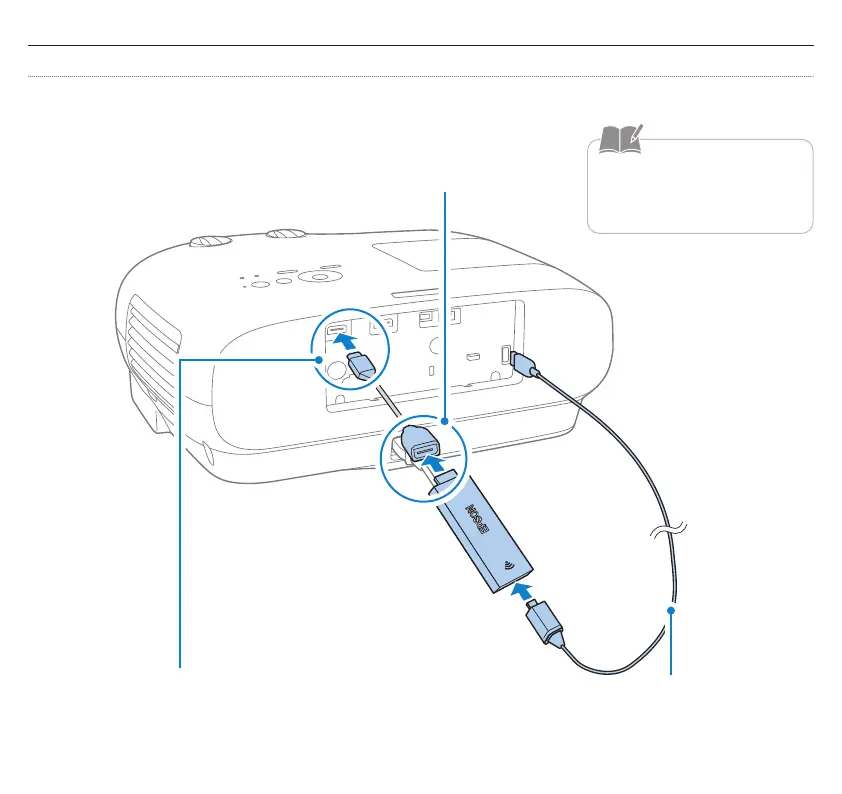
Connect to projector
If the projector has a USB port capable of supplying 2.0 A of power
B
Connect the HDMI extension cable to
the HDMI port
A
Connect your Android TV device to an HDMI extension cable
C
Connect the USB power cable to the
dedicated power supply port and the
Android TV port
Do not bend the cable with too
much force, as this may cause it
to disconnect.


 To Next Page