14 Solving Problems
External audio devices are too loud
■ Use the volume control on the external audio device to decrease the volume of the
external audio device.
■ Adjust the audio levels, see page 9 for details.
I hear feedback (howling)
■ Move the pendant microphone away from the speakers.
■ Turn down the Gain control wheel on the pendant microphone.
■ Turn down the volume on the Connection & Control Box.
■ Turn down the Microphone gain control knob on the IR receiver module.
The power light won’t come on
You may need to replace the pendant microphone’s batteries.
Specifications
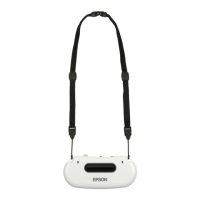
Pendant Microphone
Microphone Type Single Directivity Electret Capacitor
Controls Gain Adjustment Thumbwheel
Power Button
Mic Channel Switch (1/2)
Battery Type AA Alkaline (LR6) × 2
Audio Connectors 3.5 mm Stereo Minijack (Aux In)
Frequency Channel 1 = 2.06 MHz
Frequency Response 100~10, 000 Hz
IR luminescence Wavelength: 870 n m
Transmitting Frequency: 2.06 MHz
Dimensions 5.10" × 2.25" × 0.73" (13 × 5.7 × 1.8 cm) (W × D × H)
Weight 2.19 ounces/62 g
Temperature Operating: 41 °F to 95 °F (5 °C to 35 °C)
Humidity Operating: 20% - 80%


 To Next Page