36
Note: You will need to print one side and flip the paper over manually to print the other side.
Note: Some options may be pre-selected or unavailable, depending on other settings you have chosen.
1. Select one of the following options for 2-Sided Printing:
• Manual (Long-edge binding) to print your double-sided print job by printing one side and
prompting you to flip the paper over on the long edge to print the other side.
• Manual (Short-edge binding) to print your double-sided print job by printing one side and
prompting you to flip the paper over on the short edge to print the other side.
2. Click the Settings button.
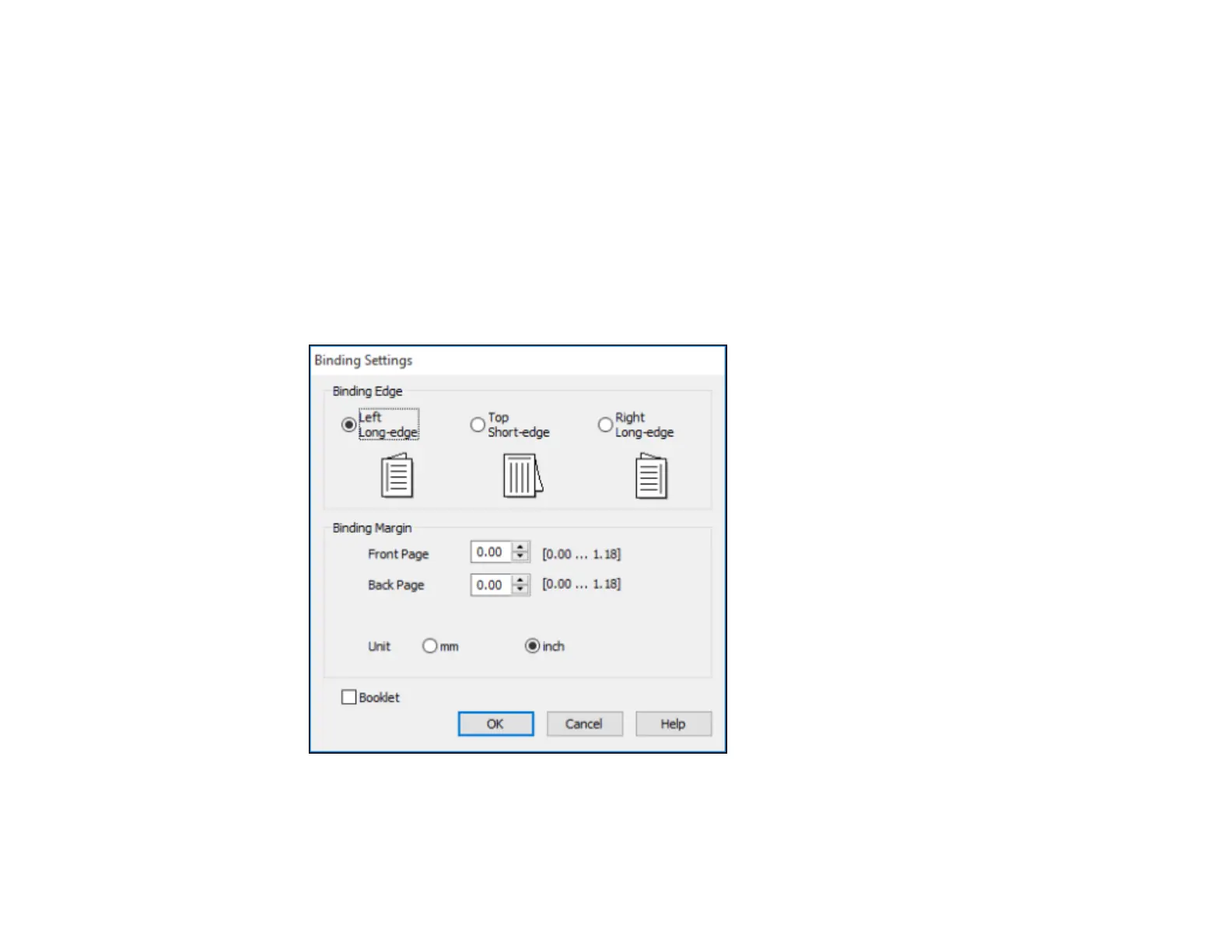
You see a window like this:
3. Select the double-sided printing options you want to use.
4. Click OK to return to the Main tab.


 To Next Page