EasyManua.ls Logo

Epson L380 - User Manual

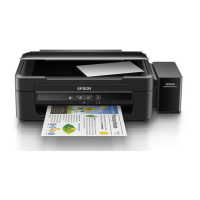
Epson L380
144 pages
Print Icon
To Next Page IconTo Next Page
Loading...
L380 User's Guide

Table of Contents

Other manuals for Epson L380

Question and Answer IconNeed help?

Do you have a question about the Epson L380 and is the answer not in the manual?

Summary

Product Basics

Control Panel Buttons and Lights

Describes the buttons and indicator lights on the product's control panel.

Product Parts Locations

Identifies the external parts of the product with diagrams.

The Power Off and Sleep Timers

Loading Paper

Loading Paper for Documents

Details on how to load paper for printing documents.

Loading Paper for Photos

Instructions for loading paper specifically for printing photos.

Loading Envelopes

Guidance on loading envelopes for printing.

Placing Originals on the Product

Copying

Printing from a Computer

Printing with Windows

Instructions for printing from Windows applications.

Selecting Basic Print Settings - Windows

Print Quality Options - Windows

Selecting Double-sided Printing Settings - Windows

Image Options and Additional Settings - Windows

Selecting a Printing Preset - Windows

Printing Your Document or Photo - Windows

Selecting Default Print Settings - Windows

Printing on a Mac

Selecting Basic Print Settings - Mac

Print Quality Options - Mac

Managing Color - Mac

Printing Your Document or Photo - Mac

Selecting Printing Preferences - Mac

Scanning

Starting a Scan Using the Epson Scan 2 Icon

Scanning in Epson Scan 2

Additional Scanning Settings - Advanced Settings Tab

Refilling Ink

Ink Safety Precautions

Essential safety guidelines for handling ink bottles and refilling.

Refilling the Ink Tanks

Adjusting Print Quality

Print Head Maintenance

Steps for maintaining the print head, including cleaning and alignment.

Print Head Nozzle Check

How to print a pattern to check for clogged print head nozzles.

Checking the Nozzles Using a Computer Utility

Print Head Cleaning

Cleaning the Print Head Using the Product Buttons

Cleaning the Print Head Using a Computer Utility

Power Ink Flushing

Print Head Alignment

Aligning the Print Head Using a Computer Utility

Steps to align the print head using the printer's software utility.

Cleaning the Paper Path

Cleaning and Transporting Your Product

Solving Problems

Product Light Status

Running a Product Check

Solving Setup Problems

Software Installation Problems

Solving Copying Problems

Solving Paper Problems

Paper Jam Problems

Steps to resolve paper jams within the printer.

Paper Ejection Problems

Solving Problems Printing from a Computer

Printing is Slow

Solving Page Layout and Content Problems

Solving Print Quality Problems

Blurry or Smeared Printout

Faint Printout or Printout Has Gaps

Grainy Printout

Incorrect Colors

Solving Scanning Problems

Cannot Start Epson Scan 2

Image is Distorted or Blurry

Uninstall Your Product Software

Uninstalling Product Software - Mac

Technical Specifications

Paper Specifications

Scanning Specifications

Ink Specifications

Epson L380 Specifications

General IconGeneral
Print Resolution5760 x 1440 dpi
Scanner TypeFlatbed color image scanner
Scanner Resolution600 x 1200 dpi
Copy FunctionYes
ConnectivityUSB 2.0
FunctionsPrint, Scan, Copy
Input Tray Capacity100 sheets
Output Tray Capacity30 sheets
Operating SystemsWindows XP / XP Professional x64 Edition / Vista / 7 / 8 / 8.1 / 10, Mac OS X 10.6.8 or later
Print TechnologyInkjet
Paper SizeA4, A5, A6, B5, DL
Ink SystemIndividual ink bottles
Print Speed (Black)33 ppm
Print Speed (Color)15 ppm
Copy Speed (Black)7.7 cpm
Copy Speed (Color)3.8 ipm
Dimensions482 x 300 x 145 mm

Videos

How to Download & Install Epson L380 Printer Driver in Windows 10

How To Download & Install Epson L380 Printer Driver in Windows 11

How to Download & Install Epson L380 Printer Driver Manually in Windows 7

How to assemble Epson L380

How to reset Epson L380 printer

How to reset Epson L380 printer ink pad

Related product manuals