EasyManua.ls Logo

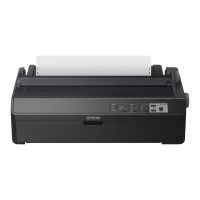
Epson LQ-2090 - User Manual

Epson LQ-2090
48 pages
Print Icon
To Next Page IconTo Next Page
Loading...
24-pin Dot Matrix Printer
®
User’s Guide
This manual is divided into two sections: English and Spanish. The
English section begins after this page. The Spanish section begins
approximately at the middle of the manual.
Este manual está dividido en dos secciones: Inglés y Español. El
manual en español comienza aproximadamente a la mitad del libro. El
manual en inglés comienza después de esta página.

Table of Contents

Other manuals for Epson LQ-2090

Questions and Answers

  • W
    William AvilaJul 25, 2025
    What to do if continuous paper is not fed to the standby position on Epson LQ-2090?
    • D
      David MaddoxJul 26, 2025
      If continuous paper is not fed to the standby position in your Epson Printer, tear off the printed page at the perforation. Then, press the Load/Eject button to feed the paper to the standby position.
  • C
    cookjoanneAug 5, 2025
    What to do if an unknown printer error has occurred on Epson LQ-2090 Printer?
    • I
      isaiahbakerAug 5, 2025
      If you encounter an unknown or serious error with your Epson Printer, turn the power off and wait for a few minutes. Then, turn the printer back on.
  • J
    Justin ClarkAug 15, 2025
    What to do if a single sheet of paper is not fully ejected from Epson LQ-2090 Printer?
    • D
      Dakota WatkinsAug 15, 2025
      Press the Load/Eject button to eject the sheet from your Epson Printer.

Summary

Setting Up the Printer

Assembling the Printer

Step-by-step instructions for physically setting up the printer, including component installation.

Connecting the Printer to Your Computer

Instructions for establishing communication between the printer and a computer via parallel or USB.

Installing the Printer Software

Guide to installing printer drivers and utility software for optimal computer integration.

Paper Handling

Adjusting the Paper-Thickness Setting

Procedure for setting the printer's paper thickness lever based on paper type.

Loading Continuous Paper with the Front Push Tractor

Instructions for loading continuous paper using the front push tractor mechanism.

Loading Single Sheets with the Paper Guide

Method for feeding individual sheets of paper using the printer's paper guide.

Using the Micro Adjust Function

Guide to fine-tuning paper positioning for tear-off and top-of-form.

Using the Control Panel

Buttons and Lights

Overview of the printer's control panel buttons and their corresponding indicator lights.

Changing the Printers Default Settings

Methods for modifying the printer's default operational parameters.

Troubleshooting

Clearing Paper Jams

Detailed steps to safely remove jammed paper from the printer.

Printing a Self Test

Procedure for running a printer self-test to diagnose operational issues.

Where To Get Help

Information on contacting Epson support for assistance with printer problems.

Product Information

Safety Instructions

Covers essential safety guidelines, hot parts warnings, and general precautions for printer use and maintenance.

EPSON AMERICA, INC., LIMITED WARRANTY

Details the terms, coverage, and claims process for the printer's limited warranty.

Epson LQ-2090 Specifications

General IconGeneral
ColorNo
Built-in barcodesCodabar (NW-7), Code 39, POSTNET, UPC-A, UPC-E
Maximum printing width (columns)136
Print directionBi-directional
Mean time between failures (MTBF)20000 h
Standard interfacesUSB 1.1
Power requirements100 - 240V AC, 50 - 60 Hz
Connectivity technologyWired
Compatible operating systemsWindows 95, 98, 2000, Me, XP, NT 4.0
Page description languagesEpson ESC/P2
Sound pressure level (printing)52 dB

Related product manuals