SALAMANDER DESIGNS 503-237 [8.20] 1 of 2
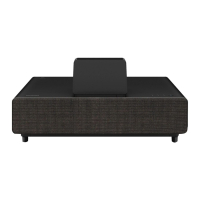
EPSON LS500 PROJECTOR CABINET
MODEL # X3/EPS2/237S
1. Place shelf on the rear shelf peg with
the front of the shelf resting on the base.
2. Continuing holding the back end of shelf
while a 2nd person sets the projector,
centering it on the width of the shelf front
with the rear of the projector 1.5” (38mm)
infromtheshelfedgeasshowningure1.
3. Continuing holding the back end of shelf,
while a 2nd person lifts the shelf up and
slightly forward until the projetor lens
housing goes through the opening in the
top and the shelf can be rested on the front
shelfpegasshowningure2.
WARNING
Installation requires two people.
REAR
FRONT
Lens Housing
Figure 1
Figure 2
LIMITED WARRANTY
Salamander is proud to stand behind our products with industry-leading warranties. Should you ever encounter any problem with your
Salamander product, let us know. We are here to make it right. 1.800.535.5659 - 860.761.9500
Full warranty including limitations and warranty claim information may be found at http://www.salamanderdesigns.com/customerservice/warranty

 Need help?
 General

 To Next Page