
 Need help?
Do you have a question about the Epson EpiqVision Ultra LS500 and is the answer not in the manual?
Instructions for assembling the screen frame, connecting pieces and inserting screws.
Steps to test and align the assembled frame with the projected image before attaching screen material.
Guidance on unrolling and centering the screen material on the assembled frame.
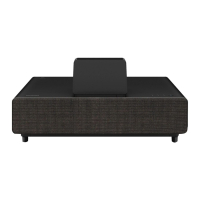
The Epson EpiqVision Ultra LS500 Laser Projection TV is a sophisticated home entertainment system designed to deliver a large, immersive viewing experience. This installation guide outlines the necessary steps for setting up the projector and screen, ensuring optimal performance and a seamless integration into your living space.
The Epson EpiqVision Ultra LS500 functions as a laser projection TV, utilizing advanced laser technology to project a high-quality image onto a dedicated screen. Unlike traditional televisions, this system offers a much larger display size, creating a cinematic experience in your home. The projector is designed for ultra-short-throw projection, meaning it can be placed very close to the wall where the screen is mounted, minimizing shadows and maximizing space efficiency. The system includes a projector unit and a specialized screen (either 100" or 120") that is optimized for ambient light rejection, ensuring vibrant and clear images even in well-lit rooms. The projector also features an HDMI input, allowing connection to various external devices such as computers, gaming consoles, and streaming devices. It supports a 16:9 aspect ratio, suitable for most modern content. The inclusion of Android TV™ functionality means the system can access a wide range of streaming services and apps directly, offering a comprehensive entertainment hub.
Setting up the Epson EpiqVision Ultra LS500 involves several key steps, starting with furniture placement. The furniture on which the projector will rest needs to be positioned accurately relative to the wall, with specific distances provided for both 100" and 120" screens. This initial placement is crucial for the projector's ultra-short-throw capabilities. If the furniture has adjustable feet, leveling it along both axes is recommended to ensure a stable base for the projector.
To aid in precise projector positioning, a cardboard jig is provided. This jig helps determine the exact distance between the projector and the wall, aligning the projector's center with the intended screen center. The jig is assembled by folding specific flaps and tabs, and it remains in place until the projector is correctly positioned. Once the projector is placed on the furniture and aligned with the jig, it should be slid until it touches the jig's arms.
Connecting the projector involves plugging in the power cable and an HDMI cable into the HDMI1 port. It's important not to plug in the projector or connect the other end of the HDMI cable until instructed. The projector's lens cap and front cover should be removed. Fine-tuning the projector's position includes aligning its center with the expected screen center and using its adjustable feet to level it along both horizontal and vertical axes.
A unique feature of this system is the "Wall Bracket Guide" projection. By connecting the HDMI cable to a computer and downloading a specific guide file from the Epson support website, users can project an image onto the wall that indicates the precise drill hole locations for the screen's wall brackets. This guide image, displayed in full-screen mode with a 16:9 aspect ratio, ensures accurate placement of the brackets. The projector's remote control is used to power on the device, access the Settings menu, and reset it. The Zoom setting should be maximized to ensure the guide image is at its largest size, and the focus lever is used to sharpen the image. It is advised to wait 20 minutes after turning on the projector before adjusting the focus for best results.
The guide image also helps confirm that the "Top screw" and "Bottom screw" lines are level across the entire projected image. If not, slight rotation of the projector or adjustment of its feet can correct this. Measuring the height and width of the projected image ensures it matches the values displayed in the guide, confirming correct projector placement.
Attaching the wall brackets involves drilling holes based on the projected guide. If attaching to studs, the holes should align with the stud centers; otherwise, they can be placed anywhere on the guide line, preferably in the "Optimal bracket location" area. After drilling, a screw is inserted, and the wall bracket is hung. The bracket should be leveled before marking and drilling the bottom hole. Once both screws are in, they are fully tightened. This process is repeated for all brackets.
Assembling the screen frame begins by spreading a transparent sheet on the floor, ensuring enough clear space. The frame pieces are then placed on the sheet with screw holes facing up. Caution is advised as the frame pieces have sharp edges. Brackets are inserted into the shorter frame pieces, which are then connected to the longer ones. M5 × 8 mm screws are inserted into each corner and tightened, ensuring no gaps between frame pieces.
After assembling the frame, its position is tested by removing the projector jig and the frame from the sheet. The frame is hung on the wall brackets, with screws facing the wall. It is then moved left or right to align with the projected image, ensuring the arrowheads in the image extend to the frame's outer edges. If misalignment occurs, the projector's position can be slightly adjusted.
Attaching the screen material requires careful handling. The material is unrolled onto the transparent sheet, with the "DOWNSIDE" label facing the user and closest to the wall. The frame is centered on top of the screen material. The screen material is folded over the frame to check alignment, ensuring its edges align with dashed lines and screw holes are not covered. Springs are then used to attach the screen material to the frame, starting with the corners, then the centers of the long sides, followed by the centers of the short sides, and finally the remaining sections, moving outward. Hooks are provided to assist with spring attachment, and it's crucial to avoid touching the screen material on the other side of the frame to prevent damage. The frame edges and corner guards are attached, with the Epson logo on one short frame edge indicating the side with the "DOWNSIDE" label. M5 × 15 mm screws are inserted into each corner, holding the frame tightly while tightening.
Angle adjustment screws are installed at the bottom edge of the frame, closest to the "DOWNSIDE" label. Additional springs are hooked into the bottom edge of the frame and then to the inside of the frame.
Mounting the screen requires wearing provided white gloves to prevent damage from bare hands. Painter's tape can be used on the back of the frame's top corners to protect the wall. The screen is carried to the wall and leaned at a 15° angle, ensuring the "DOWNSIDE" label is at the bottom and facing the wall. The screen is then lifted, hooking the wall brackets into the grooves at the top of the screen, and lowered onto the brackets, resting the bottom against the wall. The screen should be moved left or right as needed to align with the projected image. If the screen is not vertically straight, the angle adjustment screws are turned.
Final adjustments involve selecting "Installation Guide" from the Settings menu and using the focus lever to sharpen the grid in the upper left corner of the screen. Image misalignment can be corrected by adjusting the projector feet, turning the angle adjustment screws on the back of the screen, or moving the projector in small increments. If misalignment persists, the projector's keystone correction, Quick Corner, or Blanking features can be used. It's noted that alignment issues can sometimes stem from an uneven floor, furniture, or wall.
Installing a streaming device involves turning off the projector, removing the HDMI cable from HDMI1, and removing the projector's storage space cover. An HDMI extension cable is connected to HDMI3, and a USB power cable to the DC Out (2.0A) port. The HDMI and USB cables are then connected to the streaming device, which is securely fitted inside the projector, ensuring cables are arranged to avoid blocking the cover. The storage space cover and front cover are then replaced.
Finally, setting up Android TV™ involves turning on the projector and following on-screen instructions to pair the remote control, select the language, and connect to the wireless network and Google account. The guide specifies using the remote control shown on the screen.
The installation guide emphasizes careful handling of the screen material and frame components to prevent damage. Wearing white gloves when handling the screen material is a critical maintenance step to avoid smudges or damage from bare hands. The warning about sharp edges on the frame pieces highlights the need for careful handling during assembly. The note about not touching the screen material on the other side of the frame during spring attachment is also a crucial maintenance tip to preserve the screen's integrity. The recommendation to wait 20 minutes after turning on the projector before adjusting focus suggests a warm-up period for optimal performance and potentially extending the life of the focus mechanism. The use of painter's tape to protect the wall during screen mounting is a preventative measure to avoid cosmetic damage to the installation environment. The caution against forcing the streaming device into the projector is a key maintenance instruction to prevent damage to both the device and the projector's internal components. Overall, the guide promotes a careful and methodical approach to installation, which inherently contributes to the longevity and proper functioning of the Epson EpiqVision Ultra LS500 Laser Projection TV.
 General
| Display Technology | 3LCD |
|---|---|
| Resolution | 4K PRO-UHD (3840 x 2160) |
| Brightness | 4000 lumens |
| Contrast Ratio | 2, 500, 000:1 |
| Projection Size | 65" - 130" |
| HDR Support | HDR10 |
| Light Source | Laser |
| Operating System | Android TV |
| Bluetooth | Yes |
| Lamp Life | 20, 000 hours |
| Input Ports | RS-232C |
| Input Lag | 16.7 ms |
| Dimensions | 15.7" |
| Weight | 20.5 lbs |
| Wi-Fi | Yes (802.11ac) |
| USB Ports | USB Type A |
| Audio Output | 10W speaker |

 To Next Page