QPCC Instruction Night - 21/02/2012 [Revised 26/12/14]
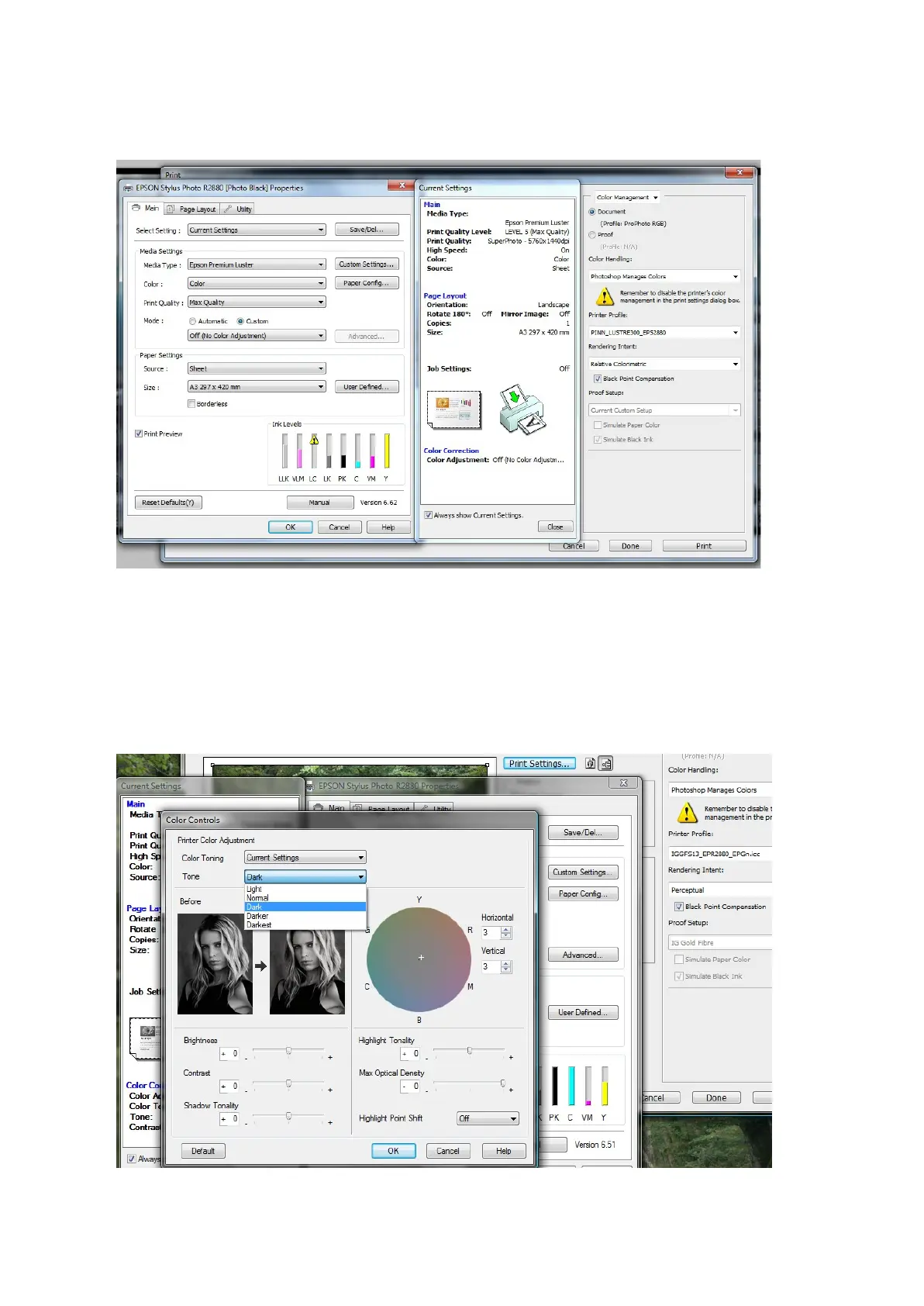
In the “Print Settings” box select the correct settings for Media Type, Colour, Quality,
Paper Source and Size. Select “Mode” as
“Custom” and then select “Off (no colour adjustment)”.
4.3 Printing Black and White
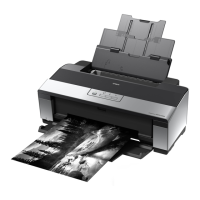
For the ABW (Advanced Black & White) driver in the Epson R2880 it is important that the image file
is RGB (not Grayscale).
The process is the same as for printing colour until you open the Print Settings dialogue. This time
select “Colour” as “Advanced B&W Photo” instead of “Colour”.
Select “Advanced” and then select “Tone” as “Dark” rather than the default of “Darker”.
You can use the colour wheel to add a tone to the final print. I often use 3 + 3 to give a very slight
warm tone to the print.







 To Next Page