JA
組み立て
EN Assembly TC
組裝
B
前面カバーを開閉するときは、手や指を挟まないよう注意してください。
!
Caution:
Be careful not to trap your hands or fingers when opening or closing the front
cover.
!
注意:
當打開或闔上前蓋時請小心,不要弄傷您的手或手指。
[ 8 ]
[ 9 ]
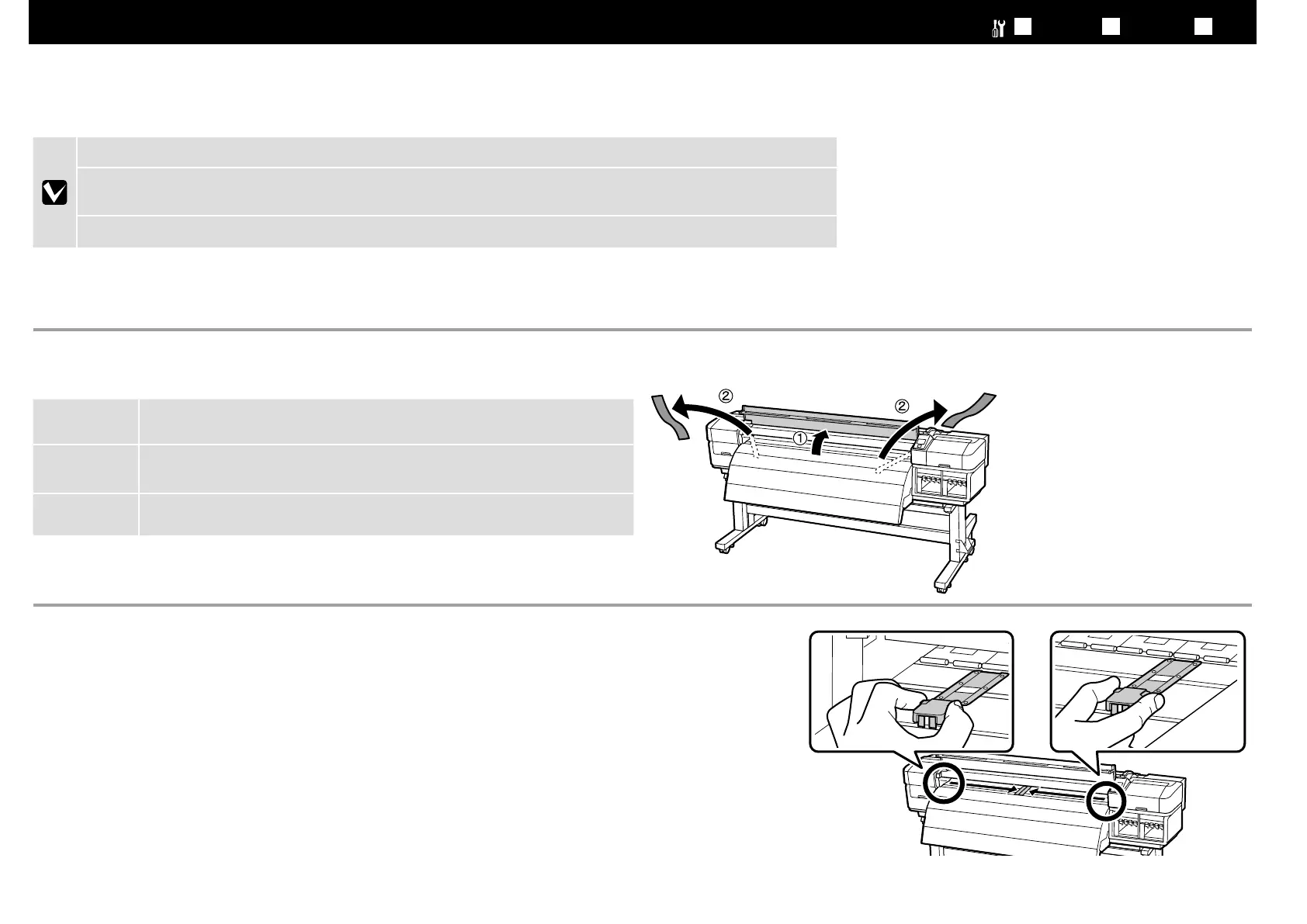
図のようにメディア押さえ板のツマミを両側から押さえながら、プラテンの中央に退避させます。
Pressing the tabs on the sides of the media holding plates as shown, position the plates temporarily in the center of the platen.
如圖所示,壓下材料固定板兩側的卡榫,將固定板暫時放在壓盤的中央。
取り外した部品は本機輸送後、プリンターをスタンドへ取り付ける際に必要です。捨てずに保管しておいてください。
When reassembling the printer and legs after transporting, you need the parts that you removed during disassembly.
Store them in a safe place.
當在搬運後要重新組裝印表機和腳架時,您會需要使用到在拆卸過程中移除的配件。請將它們保存在一個安全的地方。
13



 To Next Page
 Loading...












