EasyManua.ls Logo

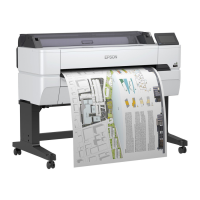
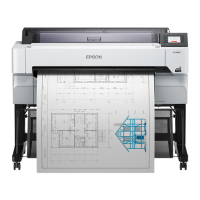
Epson SC-T5455 - User Manual

Epson SC-T5455
20 pages
Print Icon
To Next Page IconTo Next Page
Loading...
大判インクジェットプリンター
セットアップガイド
JA
Setup Guide
EN
安裝說明
TC
JA
組み立て
8
EN
Assembly
TC
組裝
JA
初回インク充填
12
EN
Initial Ink Charging
TC
初始化導墨
JA
接続とインストール
15
EN
Installing the Software
TC
安裝軟體
JA
マニュアルのご紹介
17
EN
Seeing the Online Guide
TC
請參考線上手冊

Questions and Answers

  • C
    clongAug 12, 2025
    What to do if Epson Plotter print head moves but nothing prints?
    • V
      Valerie HernandezAug 12, 2025
      If the print head moves but nothing prints on your Epson Plotter, print a nozzle check pattern. If the plotter hasn't been used for a while, the nozzles might be clogged. Also, if the message 'Motor self adjustment running' is on the screen, wait without turning off the plotter until the adjustment is complete.
  • J
    Jessica MitchellAug 20, 2025
    How to fix Epson Plotter when it does not turn on?
    • T
      Tony TaylorAug 20, 2025
      If your Epson Plotter is not turning on, ensure the power cable is securely plugged into both the electrical outlet and the printer itself. Test the outlet with another electrical product to confirm it's working. Also, check if the automatic power off is configured; you may need to disable it in the basic settings.
  • R
    Ronald EstradaAug 27, 2025
    Why is my Epson Plotter paused and not printing over the network?
    • R
      Richard CohenAug 27, 2025
      If you can't print via a network environment on your Epson Plotter and the status shows paused, first, open the status dialog for your printer and check whether printing is paused. Then, verify the network settings or consult your network administrator. As a test, connect the plotter directly to the computer using a USB cable to see if you can print. If printing works via USB, the issue lies within the network settings.
  • B
    Bailey ThompsonSep 4, 2025
    How to enable printing to Epson Plotter from iPhone or iPad?
    • J
      john09Sep 4, 2025
      To enable printing from an iPhone or iPad to your Epson Plotter, ensure that the iPhone or iPad is connected to the same network (SSID) as the plotter. Also, enable AirPrint settings in Web Config.

Epson SC-T5455 Specifications

General IconGeneral
Printer TypeLarge Format Printer
Ink TypeUltraChrome XD
ConnectivityUSB, Ethernet, Wi-Fi
Operating System CompatibilityWindows, macOS
Memory1 GB
Maximum Print Width24 inches
Print Resolution2400 x 1200 dpi
Print Width24 inches

Related product manuals